SPEED LIMITER
Engine Speed Limiter
Engine speed is limited to protect the
engine.
Vehicle Speed Limiter - Fixed
The system prevents you from driving
faster than a programmed speed. See the
label on the driver's sun visor for further
information.
Vehicles with a Diesel Engine
You can have the maximum speed of your
vehicle limited to a predefined value,
providing it is within legal limits. See an
authorized dealer for further information.
Vehicles with Start-Stop
Note: If your vehicle has a fixed speed limit
lower than 70 mph (110 km/h), this will
override the switchable speed limiter
associated with start-stop.
When start-stop is switched on your
vehicle speed is limited to 70 mph (110
km/h).
The system automatically turns on every
time you switch the ignition on. To turn this
speed limit off, press the ECO switch. The
system will only turn off for the current
ignition cycle. To turn it on, press the switch
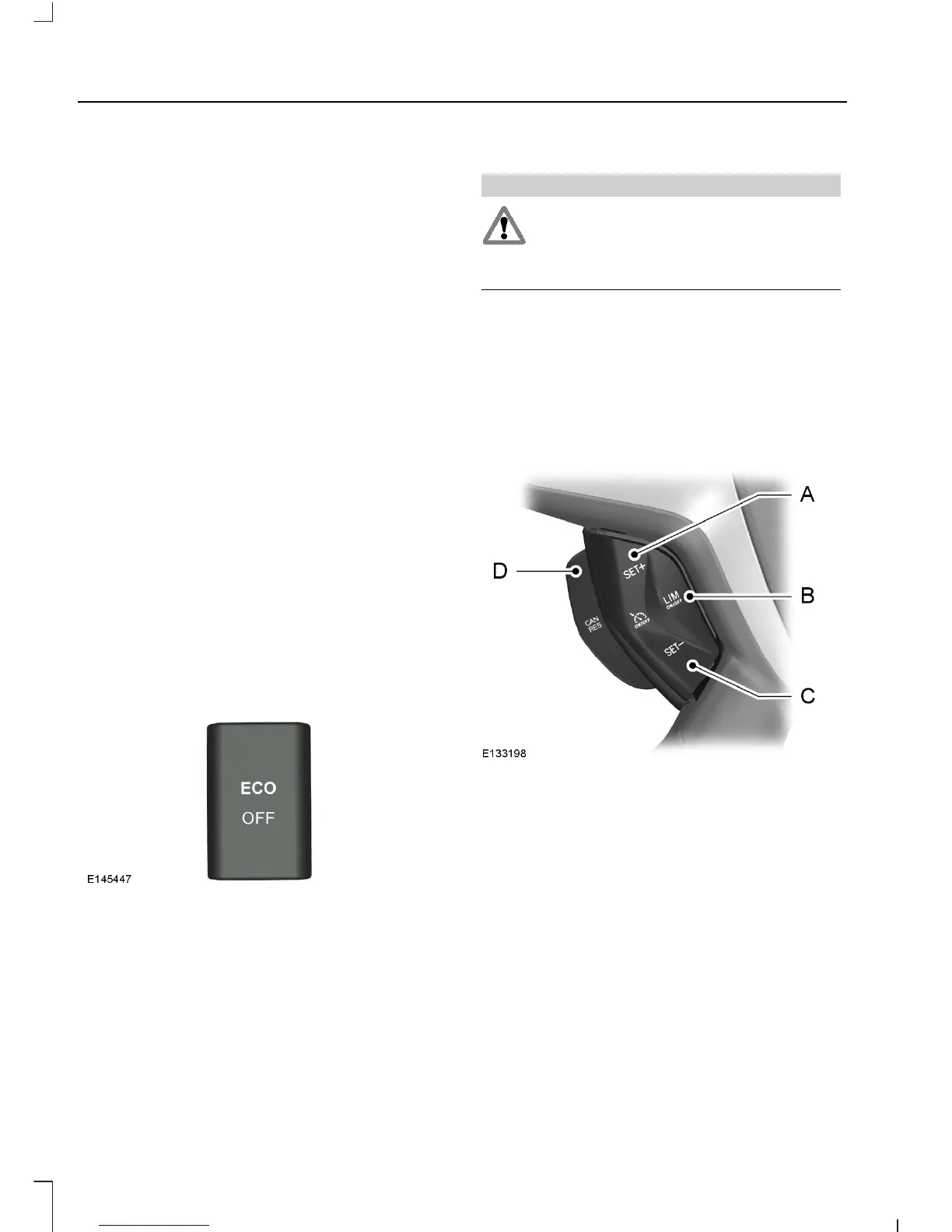
again. For item location: See At a Glance
(page 10).
Vehicle Speed Limiter - Adjustable
WARNING
When you are going downhill, your
speed may increase above the set
speed. The system will not apply the
brakes but a warning will be given.
Note: You can exceed the set speed limit
if required, for example when overtaking.
The system allows you to set a speed, to
which your vehicle is then limited. The set
speed will become the effective maximum
speed of your vehicle, but with the option
to temporarily exceed this limit if required.
Set speed increaseA
Speed limiter on and offB
Set speed decreaseC
Speed limiter cancel and resumeD
Switching the System On and Off
Press switch B. The information display
will prompt you to set a speed.
114
Tourneo Custom/Transit Custom (TTF)
Driving Aids












 To Next Page