Installing the Seats
WARNINGS
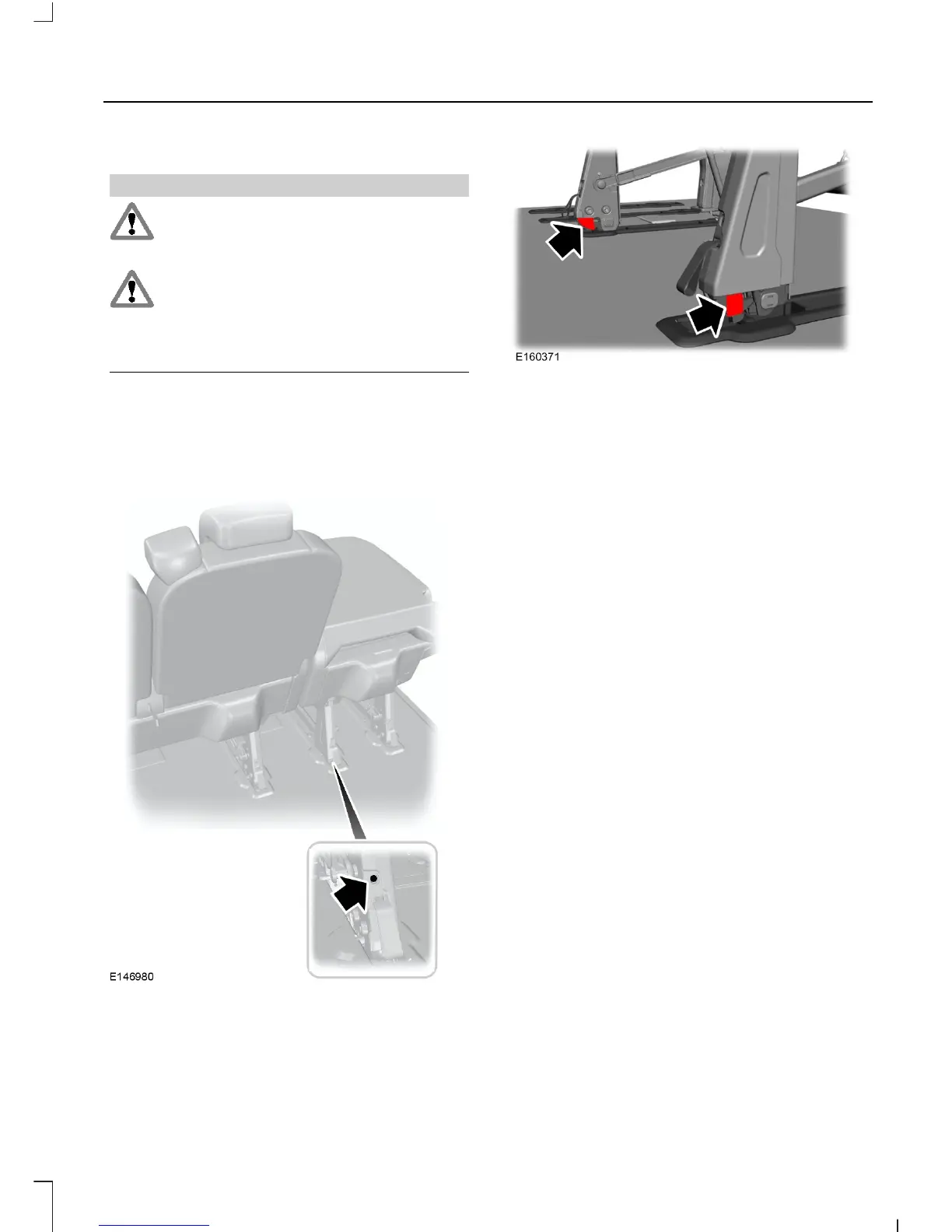
Make sure the latch indicators are
not protruding after locking the seat
legs into the floor catches.
Make sure that the legs are securely
locked into the floor catches. The red
markings on the legs should not be
visible once this has been completed
successfully.
Note: Make sure you align the front legs
and floor catches correctly when locking the
seats to the floor. Drop the front seat legs
gently from a vertical position into the floor
catches.
The rear seats have latch indicators at the
bottom of each seat leg, located at the
front and rear. Check the latch indicators
after installing the rear seats.
Make sure that the red markings on the
bottom of the seat legs are not visible
above floor level.
Installing Third Row Seats to the
Second Row
By folding the second and third row seats,
you can move them forward together to
create extra load space.
You can move the third row seats to the
second row.
1. Fold the second row seats that are in
front of the ones being moved from the
third row.
2. Fold and remove the third row seats
you want to move.
3. Install the front legs of the third row
seats to the rear floor catches of the
second row.
Accessing the Third Row Seats
1. Fold the seatback down.
81
Tourneo Custom/Transit Custom (TTF)
Seats












 To Next Page