Note: The indicator will only illuminate
when it is dark and headlamps have been
switched on.
Note: The system may take a short time to
initialize after first switching the ignition on,
especially in very dark conditions. The high
beam will not automatically switch on
during this time.
Setting the System Sensitivity
The system has three sensitivity levels
which can be accessed via the information
display. See Information Displays (page
56).
The set level determines the speed at
which the high beam will be restored after
detected traffic leaves the field of view.
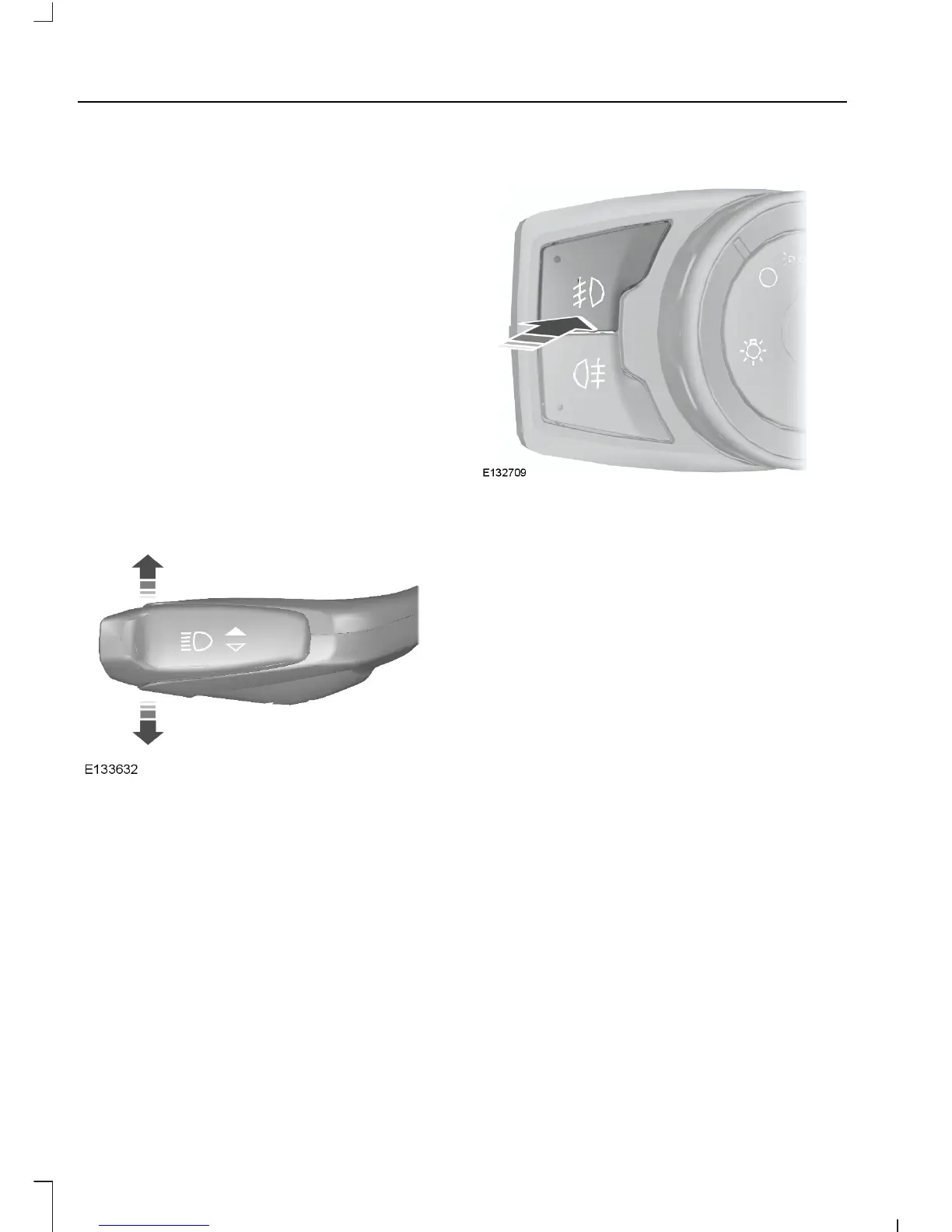
Manually Overriding the System
Push or pull the lever to switch between
high and low beam.
Note: This is a temporary override and the
system will return to automatic operation
after a short period.
To permanently deactivate the system use
the information display menu or turn the
lighting control switch from autolamps to
headlamps.
FRONT FOG LAMPS
Press the control to switch the fog lamps
on or off.
You can switch the fog lamps on when the
lighting control is in any position except
off.
Note: Only use fog lamps during reduced
visibility, for example, fog, snow or heavy
rain.
Note: If you switch autolamps on, you can
only switch the fog lamps on once
autolamps has turned the headlamps on.
44
Tourneo Custom/Transit Custom (TTF)
Lighting












 To Next Page