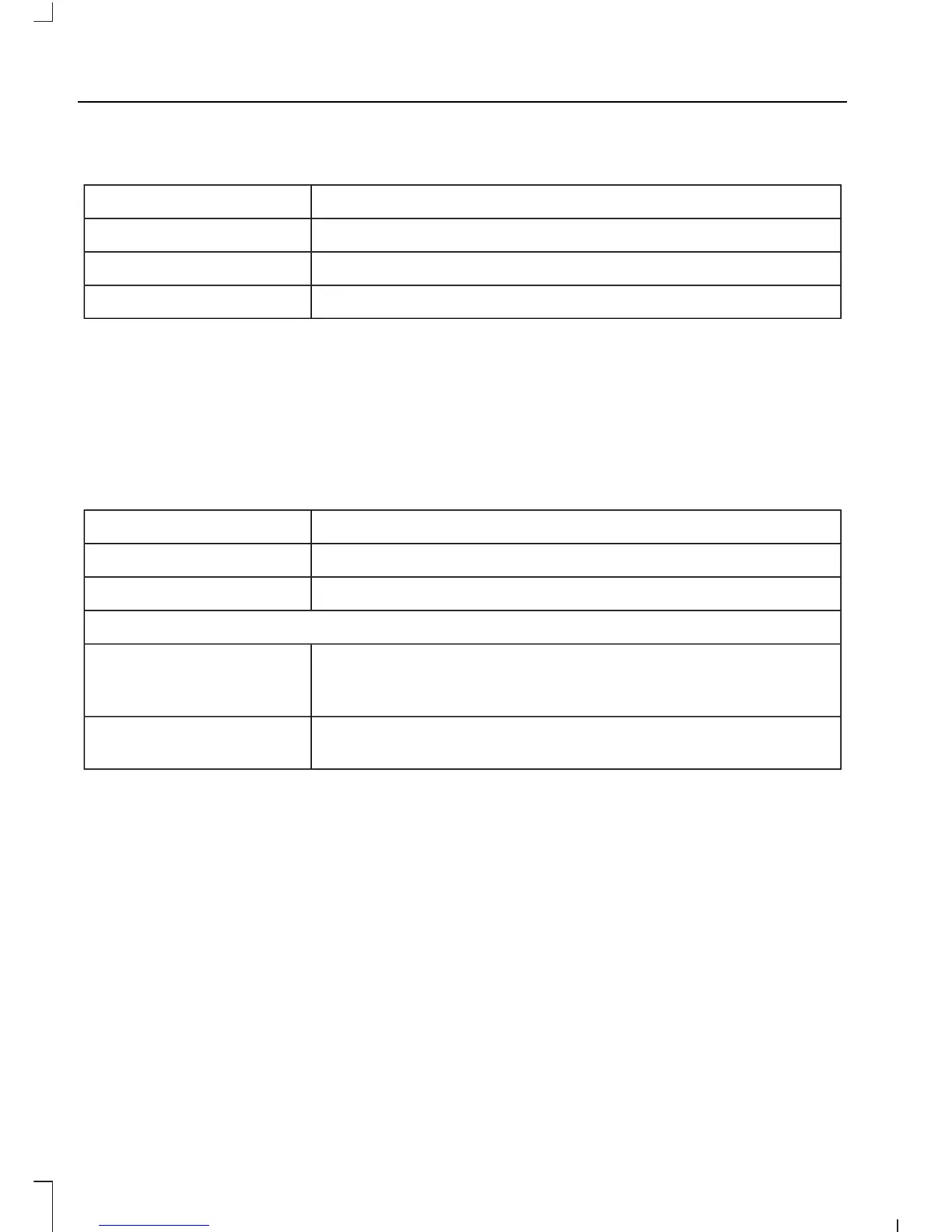
To set the power running boards to the deployed position, scroll to:
ActionMessage
Press the OK button.Driver assist
Press the OK button.Power step
Press the OK button.Deploy
Enabling and Disabling
You can enable and disable the power
running board feature in the information
display. See General Information (page
63).
To enable or disable the power running board feature, scroll to:
Action and DescriptionMessage
Press the OK button.Driver assist
Press the OK button.Power step
Select one of the following:
Press the OK button. When disabled the power running
boards move to the stowed position regardless of the door
position.
Off
Press the OK button. When enabled the power running boards
move to the correct position based on the door position.
Auto
When you switch the ignition on, the
system turns on automatically.
Bounce-back
The running board will reverse direction
and move to the end of travel if it
encounters an object while moving.
40
Transit (TTG) Vehicles Built From: 19-06-2014, Vehicles Built Up To: 31-12-2014, EK3J-19A321-AKA (CG3612en) enGBR, Edition date: 04/2014, First Printing
Power Running Boards













 To Next Page