14
Arming and Disarming
Arming the System
To arm the system in Out Mode, wake the keypad
and then press the Arm Button (Lock icon).
To arm the system in Home Mode, wake the key-
pad and then press the Home Arm Button (House
icon).
Disarming the System
To disarm the system, wake the keypad, enter your
4-digit password, then press the Disarm Button.
(Default password: 1234)
Using the Main Panel
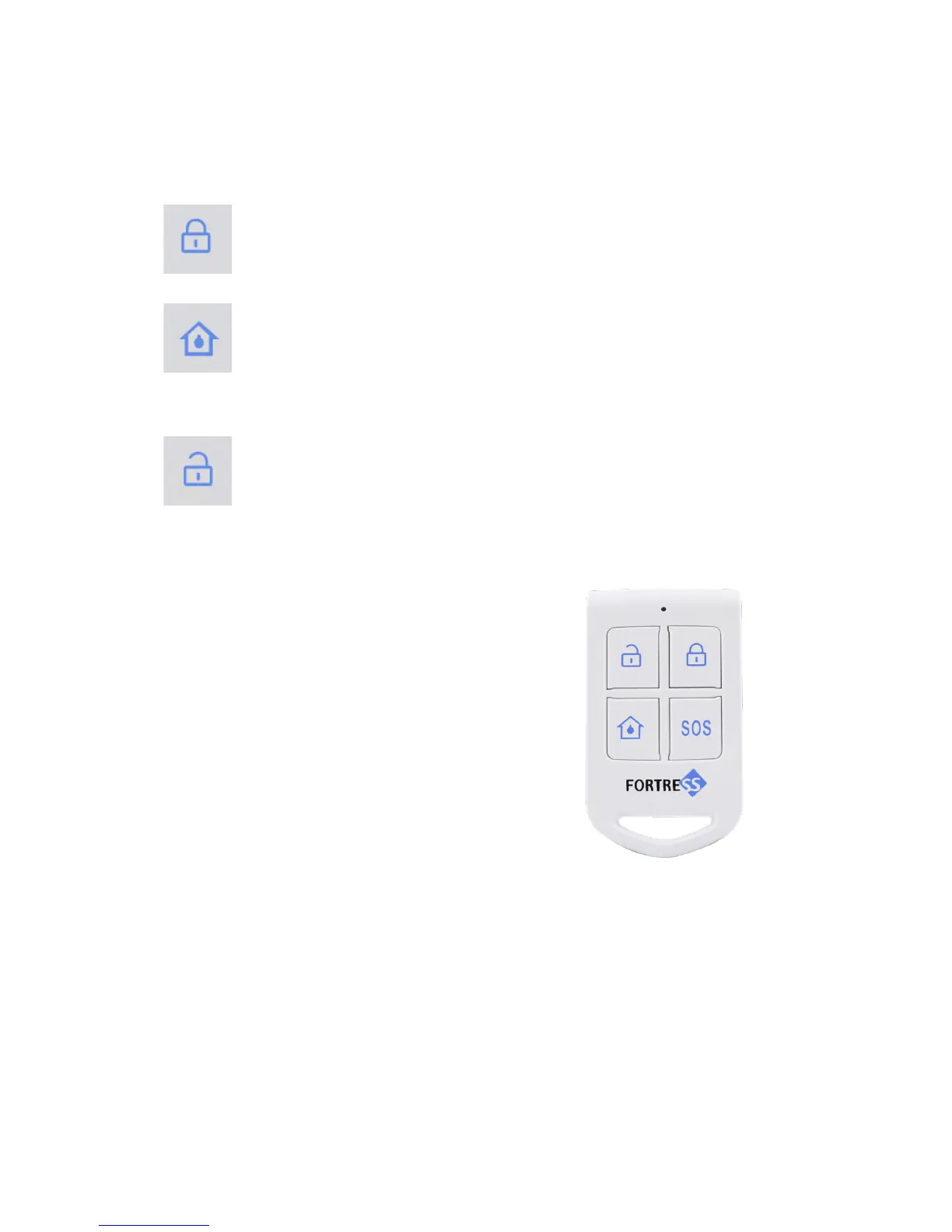
Using a Remote Key Fob
• Lock Button (top right)
- Arm in Out Mode
• Unlock Button (top le)
- Disarm
• House Button (bottom le)
- Arm in Home Mode
• SOS (bottom right)
- Trigger SOS / Panic Alarm
Using an RFID Key Tag
• Disarm:
Swipe the RFID Key Tag directly in front of the RFID
icon on the main panel.
(e RFID Key Tag cannot be used to arm the system.)


 To Next Page
 Loading...