14
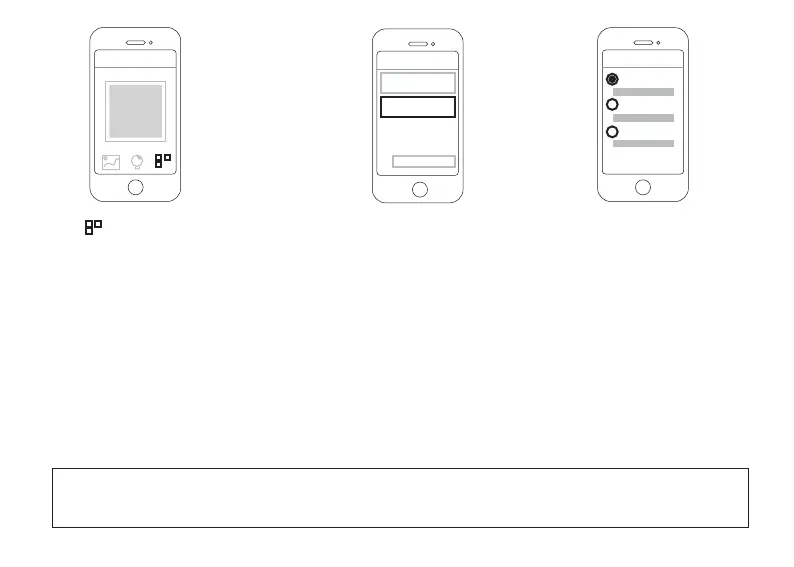
●Tap buon for Alternate Setup;
?
Step 5. Complete the sengs
Scan QR code
?
Other Setup Methods
Find My Camera
UID/DDNS/IP
UID/DDNS/IP
UID
DDNS
IP Address
Add
●Tap UID/DDNS/IP buon for the sengs.
Now you can choose UID, DDNS or IP Address to add camera to Foscam App:
● UID: Please check UID, and type in your camera’s UID, where is located at the boom of your camera;
● DDNS: If you want to use DDNS to add your camera, please make sure that you have completed Port
Forwarding
Sengs, Stac IP Address seng and DDNS seng (Please check page 9 to page 14 in this User Manual);
● IP Address: This should be your WAN IP address if you want to add your camera remotely, and please make
sure that you have completed Port Forwarding Sengs, Stac IP Address seng and WAN IP Sengs
(Please check page 7 to page 12 in this User Manual);
Choose one of these methods menoned above, and type in the according paremeters; Tap Add to complete
the sengs.
NOTE: Aer you completed these sengs, Foscam App will require you to login the camera with the camera’s
user name and password, if you didn’t set any username or password before, the default username should be
‘admin’ (without ‘ ’), and there is no password.



 To Next Page