Step 2: Mobilization and Unboxing
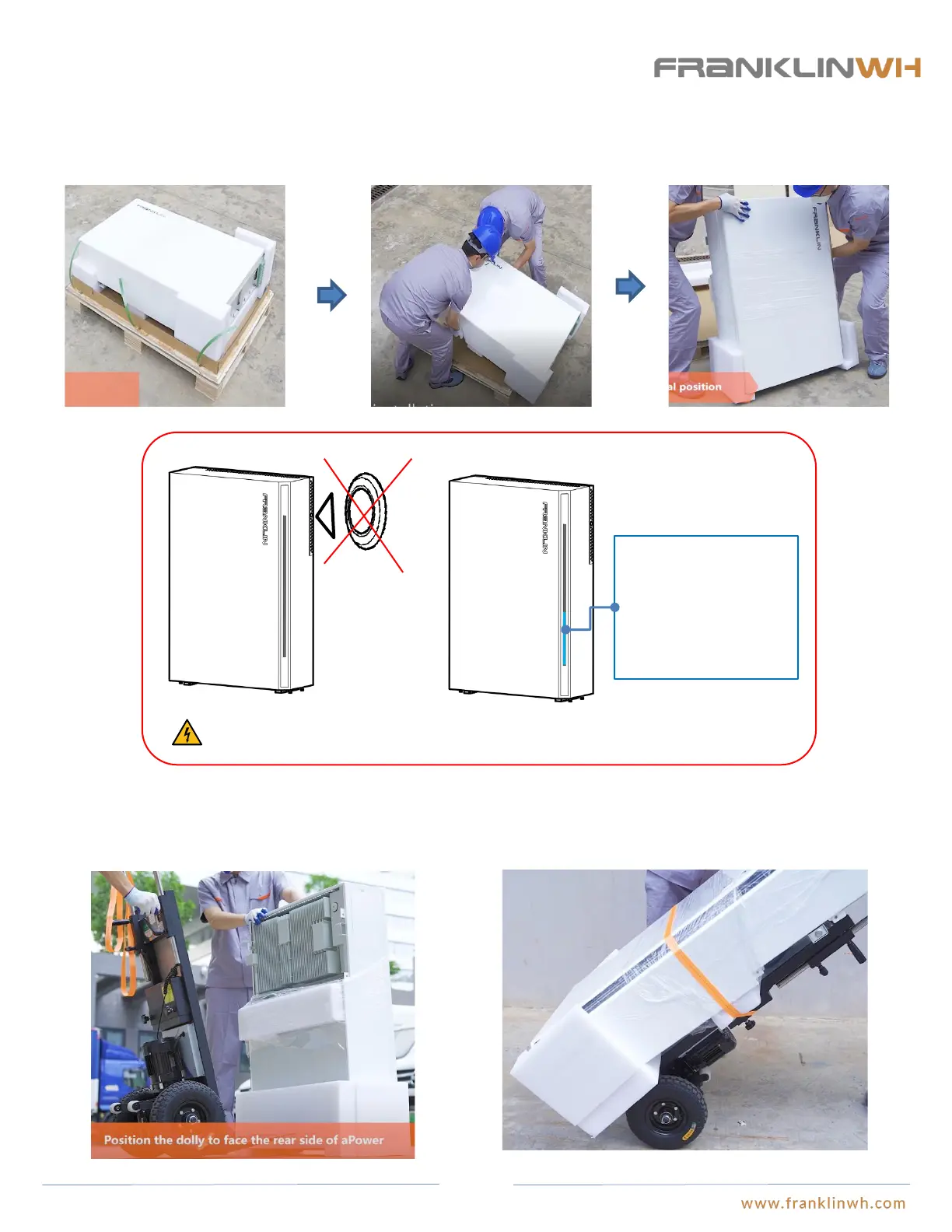
Stand up aPower
● Two installers will be needed. Push aPower along the wooden pallet horizontally until the feet of aPower slide off the pallets area
and the upper case of aPower tilts upward. The two installers can work together to fully stand up the aPower.
Mobilize aPower to installation site
● A small-sized hand truck (with stair climbing features) may be used to carry aPower to the installation site.
Please keep the power switch on the side panel of aPower off. In case the switch is on by
mistake, please turn it off immediately.
If the switch is pressed
by mistake, the LED strip
turns on, indicating that
the equipment is
working. Press the DC
switch again to shut
aPower off.
22


 To Next Page