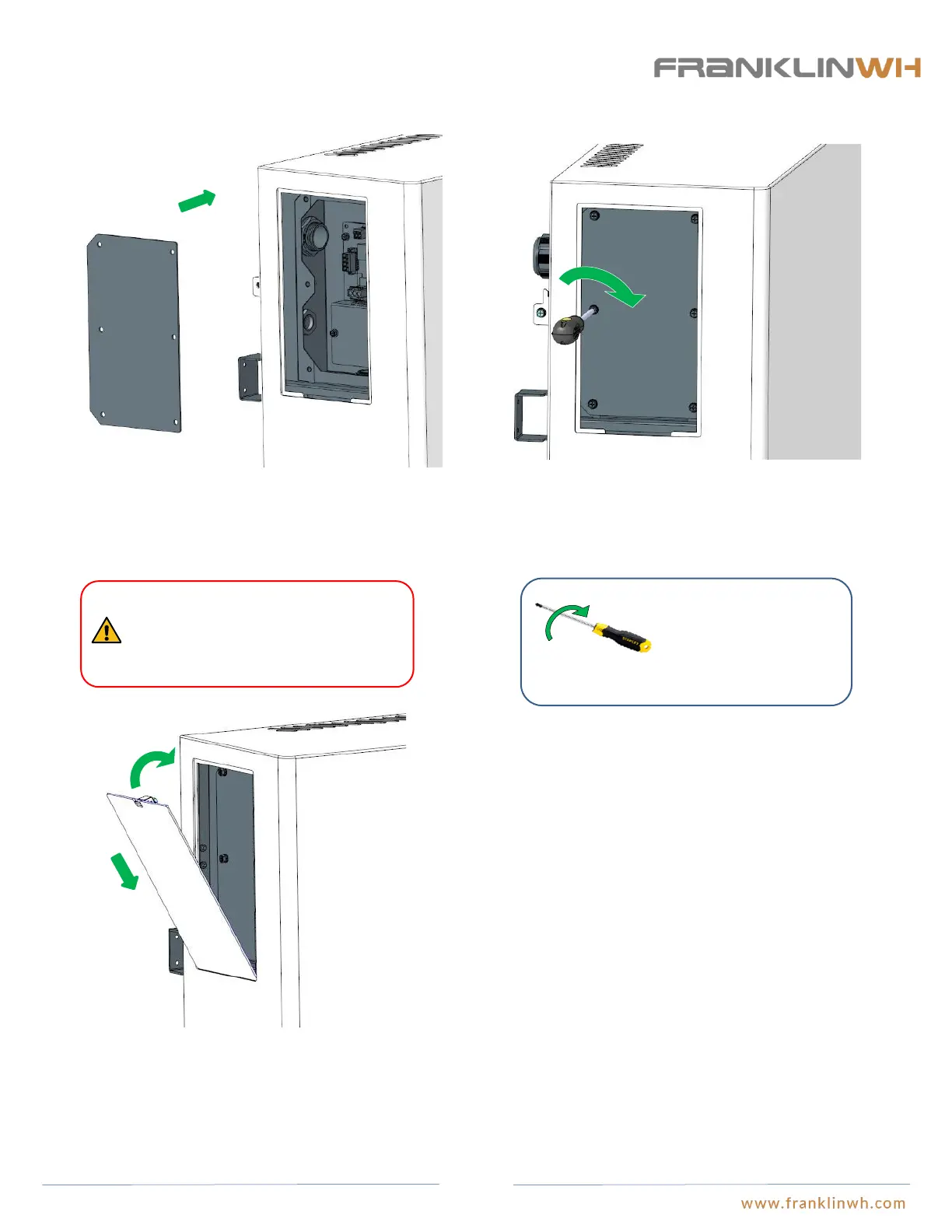
Step 9: Re-Install aPower’s cover board
● Close the wiring panel on aPower
3. Insert the external cover board on the wiring compartment
into the proper position and secure it clockwise.
Close
Insert
2. Tighten the (6) screws by turning clockwise using a #3X4”
Phillips head cross screwdriver.
There is the unique S/N on the nameplate
on the internal cover board, do NOT
confuse them, otherwise it may affect the
warranty.
1. Remove the internal cover board of the wiring closet. Please
check to make sure the cover label’s S/N corresponds with the
equipment S/N, otherwise the nameplates of aPower will be
incorrectly swapped, which may adversely affect the warranty.
Tighten the (1) M4x12
combination bolt by turning
clockwise using a
#3X4”Phillips head cross
screwdriver.
62


 To Next Page