Step 5: Electrical Conduits
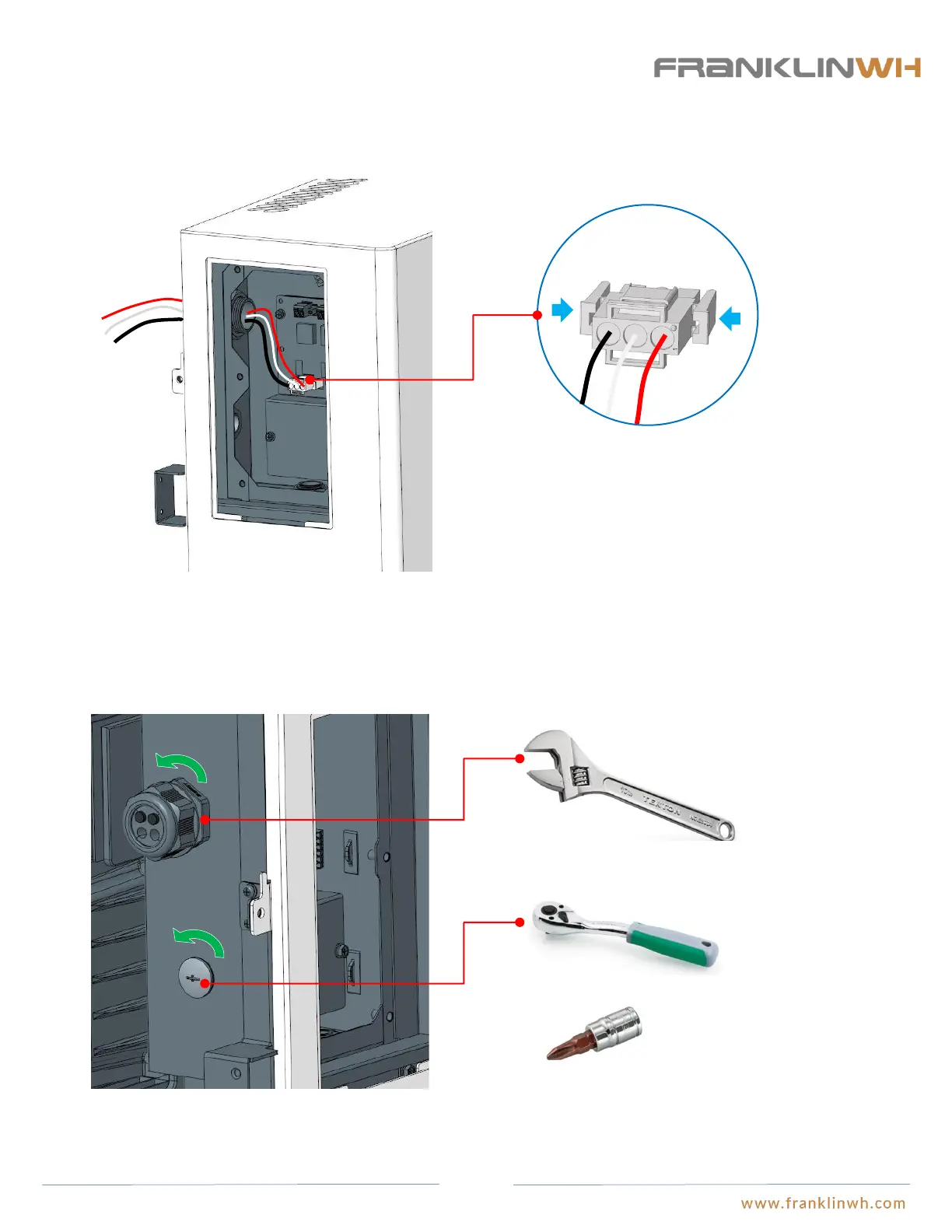
Remove aPower charging cable
Adjust the opening size to
41mm.
Push the clips on both sides of the plug and pull it out.
● Open the adjustable wrench to 41mm. Turn the nut at the end of the water-tight lock counterclockwise with one hand, while hold
the nut inside the wiring closet in position with the other hand, to prevent it from turning until the water-tight lock is completely
removed from the cable hole (the lock and the charging cables are not to be used and may be recycled once they are removed). Turn
the plug with one hand using a flex-head ratchet wrench and a Phillips head cross screw bit and hold the nut on the plug inside the
wiring closet with the other hand until the plug is completely removed.。
Flex head ratchet wrench
Run power cable through here
Run signal cable through here
● Unplug the charging cable
37


 To Next Page