Commissioning
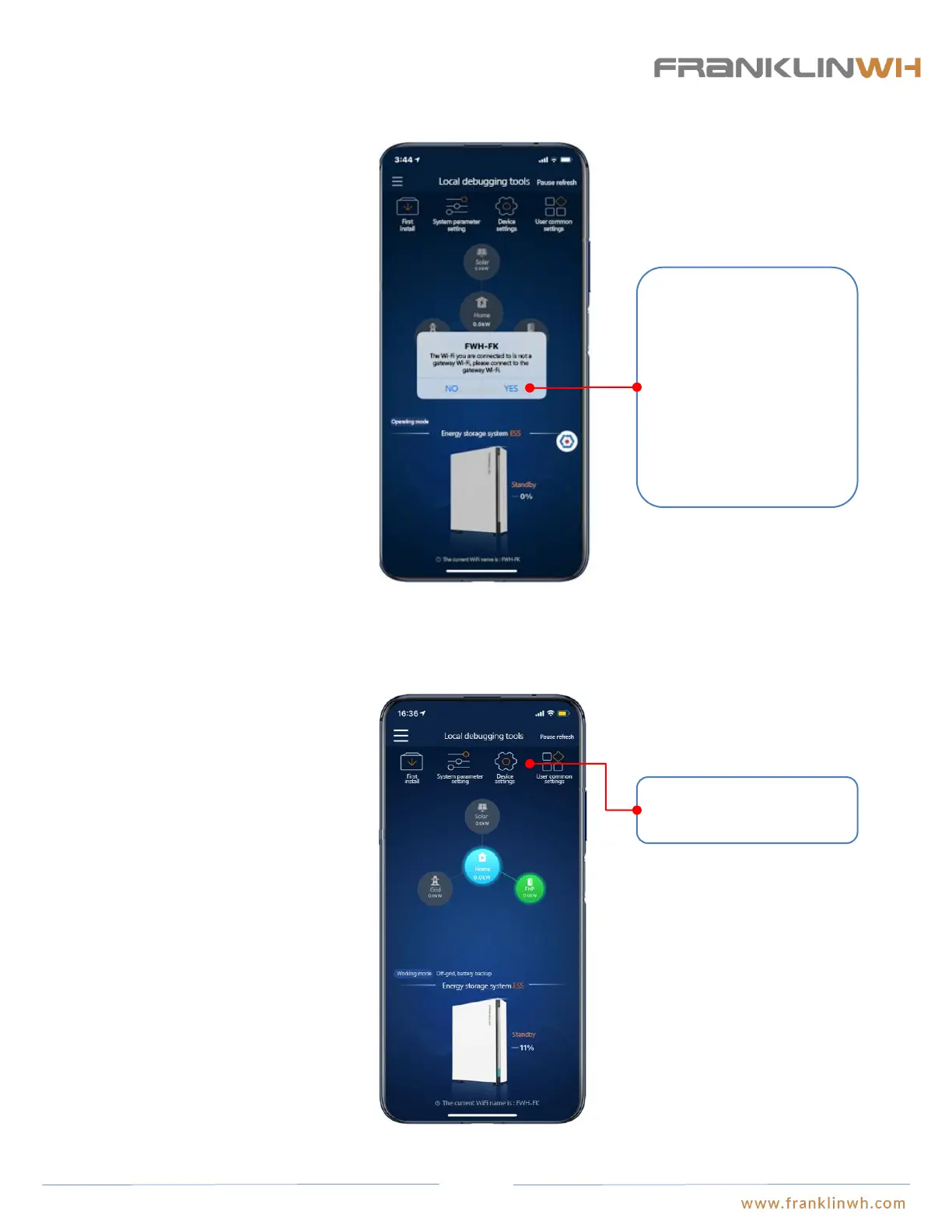
Connect mobile phone to Wi-Fi of aGate
After Wi-fi connection has been established, you can access the settings page.
After the installer logs in
using the installer account, a
window will pop out
prompting you to select your
Wi-Fi. Click on “Yes” to
turn to the mobile phone Wi-
Fi setting page, where please
choose the Wi-Fi SSID
“AP_XXXXXX”.
Settings page
67


 To Next Page