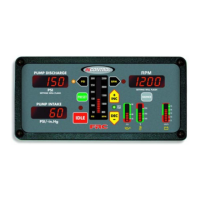
PRO-S Rev1104
17
RPM Mode Operation
In the RPM mode of operation the RPM LED will be on. The PRO-S will maintain
a constant engine RPM.
The pump discharge pressure can vary but, as a safety feature, the PRO-S limits
the increase in pressure to 30 PSI. As the discharge pressure approaches this limit the
PRO-S will automatically lower the RPM to prevent a high pressure surge. The RPM
LED will blink as the PRO-S sets a lower RPM. This lower RPM will be the new
operating RPM setting. Pressing any button will stop the LED from blinking.
Note: When changing from pressure mode to RPM mode the RPM setting
will be the RPM that the pump was operating at in pressure mode.
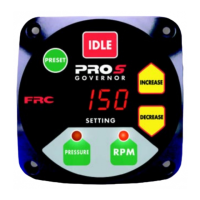
1. Press and hold RPM mode button for 3 seconds.
Result: RPM LED goes on.
2. Press PRESET and/or INCREASE/DECREASE button to select the
operating RPM.
3. Press IDLE button to bring engine to idle RPM.
Result: SETTING display shows IdLE.
Change Preset Setting (Pressure or RPM)
The preset button allows the operator to go to a pre-programmed pump pressure
or engine RPM during operations. The setting will be shown on the SETTING display.
This procedure is to change the setting in the program.
Note: The engine must be running and the pump engaged interlock circuit
must be closed.
1. Press IDLE button.
Result: SETTING display shows IdLE.
2. Press PRESSURE or RPM mode button to select the setting to be changed.
Result: LED indicator goes on for mode selected.
Note: The RPM display must show IdLE before changing the preset.
3. Press and hold PRESET button. (Continue to hold through step 4.)
Result: SETTING display flashes previous programmed preset.
4. Press INCREASE or DECREASE button to change preset setting.
5. Release PRESET button.
Result: The new preset is programmed. SETTING display shows IdLE.


 To Next Page