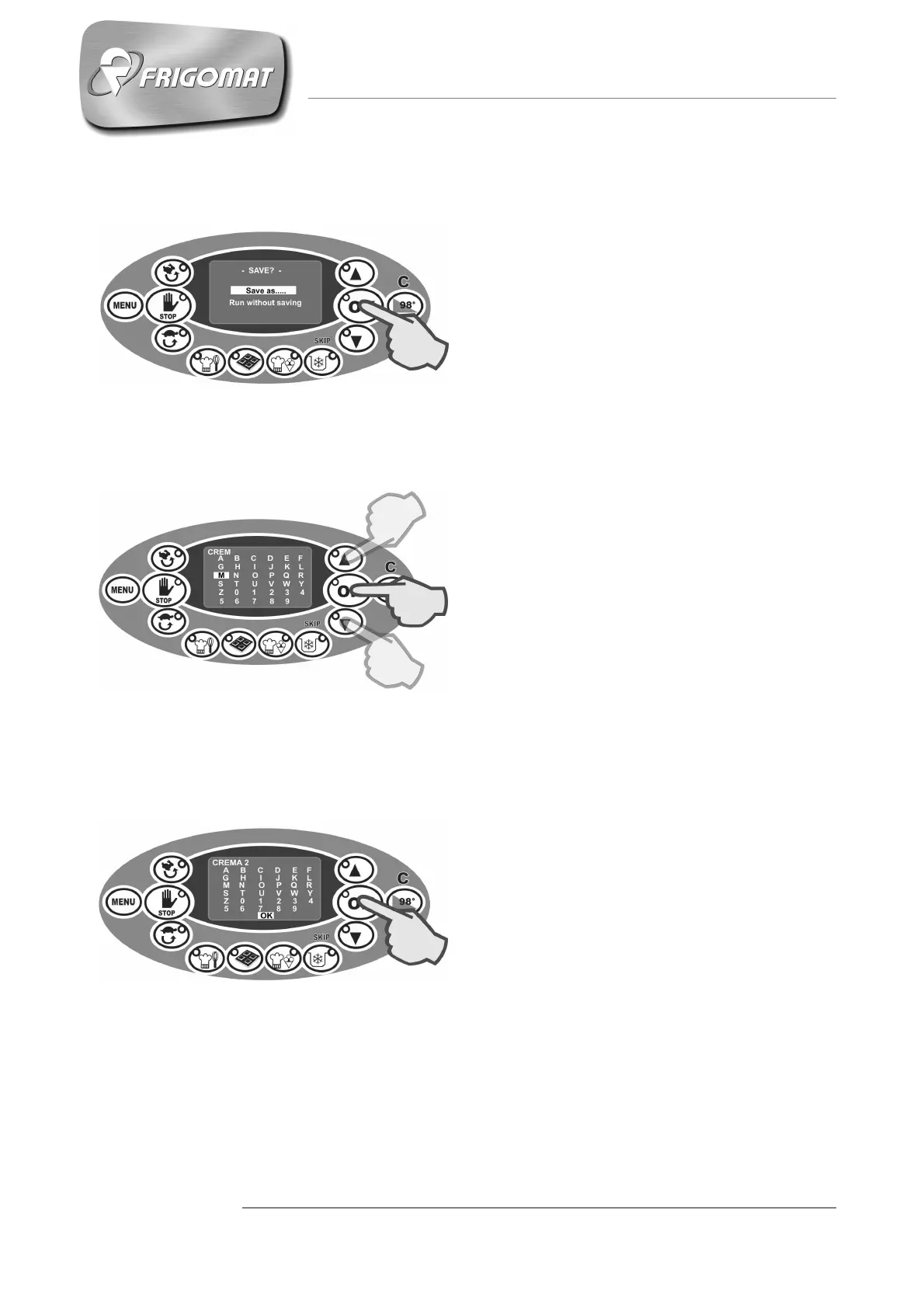
6.5 SAVING CHANGES AND/OR NEW RECIPES
At the end of each procedure for
changing or creating recipes, the user
is requested to save the programming
or to perform it without saving it.
If you wish the new recipes to be
stored and automatically added to the
recipe list in the memory, select the
entry “Save as” and press “OK”
(Fig.1).
You must give the recipe a specific
name before saving it.
The letters of the alphabet, numbers 0
to 9 and the space bar appear on the
display. Press “UP” and “DOWN” to
select the first letter, number or space
and then press “OK” to confirm the
choice. Repeat this procedure for each
subsequent letter, number or space
until the name of the recipe is
complete (Fig.2).
Attention: the name of the recipe
can contain a maximum of 20
characters including spaces.
When you have ended the saving
procedure, the new recipe is added
automatically to the recipe list
available in the memory and can be
recalled directly with the “Recipes”
(see chapter 6.4.2). Should the
memory be full, the message “memory
full” will appear.
If the recipe name is composed of less
than 20 characters including the
spaces, hold the "OK" key pressed for
awhile while confirming the last
character. When the entry “OK”
appears at the bottom of the screen,
press “OK” once again to confirm the
choice of the name (Fig.3).
Fig.3
Fig.1
Fig.2











 To Next Page