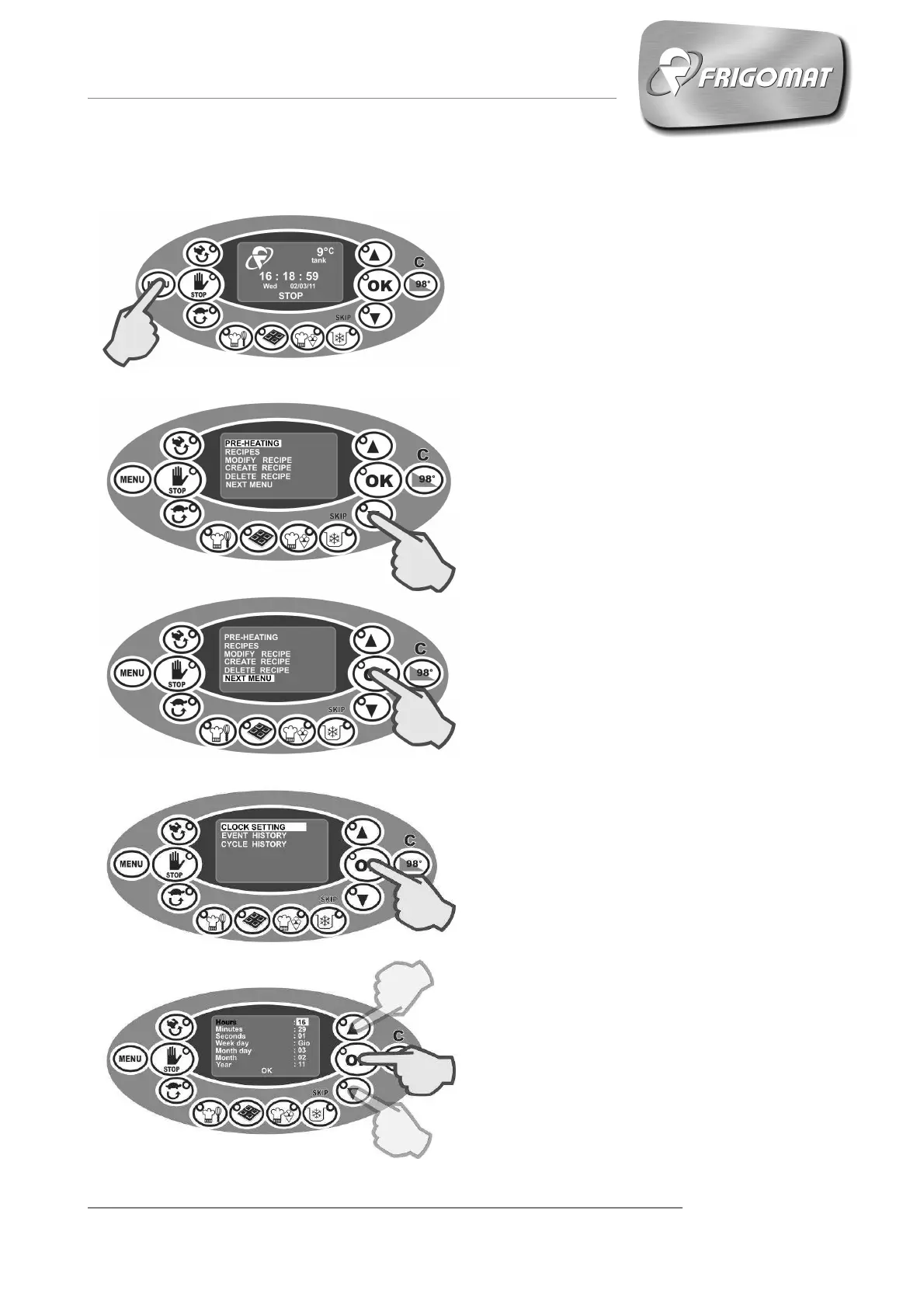
6.6 SETTING “CLOCK”
Press the “
” key to access the
main screen (fig.1-2).
.
The first entry, selected automatically,
is the current time: press “UP” and
“DOWN” to increase or decrease this
value.
Then press “OK” to confirm the value
set and pass on to the following entry.
Repeat the same procedure for all the
entries available. (Fig.5)
Fig.1
Fig.2
Fig.3
Press “
” several times until
selecting the entry “NEXT MENU” (fig.
2-3).
Press “OK” to access the screen of the
following menu.
The first entry of the menu, selected
automatically, is “CLOCK SETTING”.
Press “OK” to access the time and
date adjustment options (fig. 4).
Fig.4
Fig.5











 To Next Page