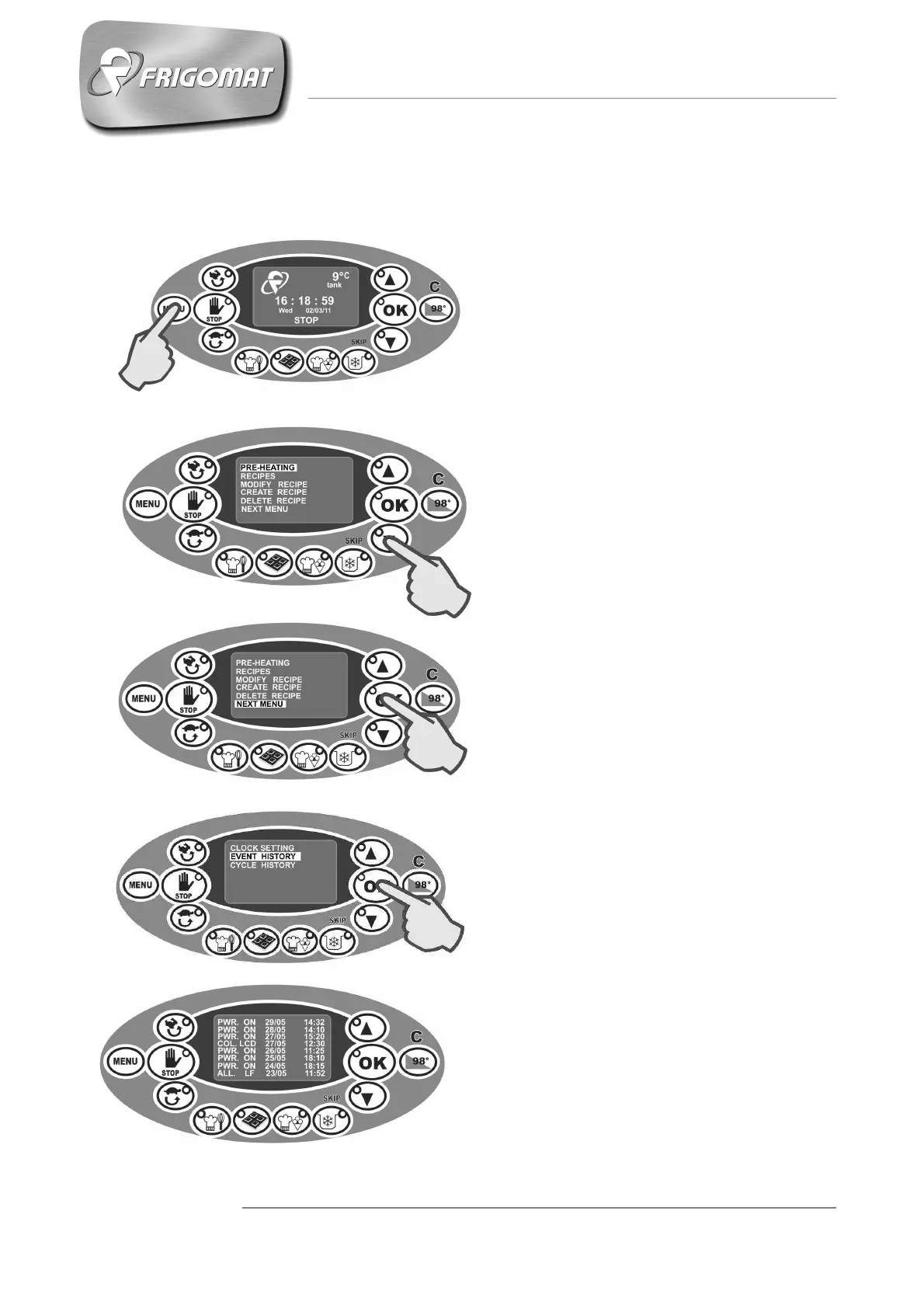
6.7 CONSULTING “EVENT ARCHIVE”
Press “
” until selecting the entry
“EVENT HISTORY”.
Press “OK” to confirm (fig.4).
The list of events and alarms required
by the technician for diagnosis of
failures or anomalies appears on the
display. (Fig.5).
Fig.1
Fig.2
Fig.3
Press the “
” key to access the
main screen (fig.1-2).
.
Press “
” several times until
selecting the entry “NEXT MENU” (fig.
2-3).
Press “OK” to access the screen of the
following menu.
Fig.4
Fig.5











 To Next Page