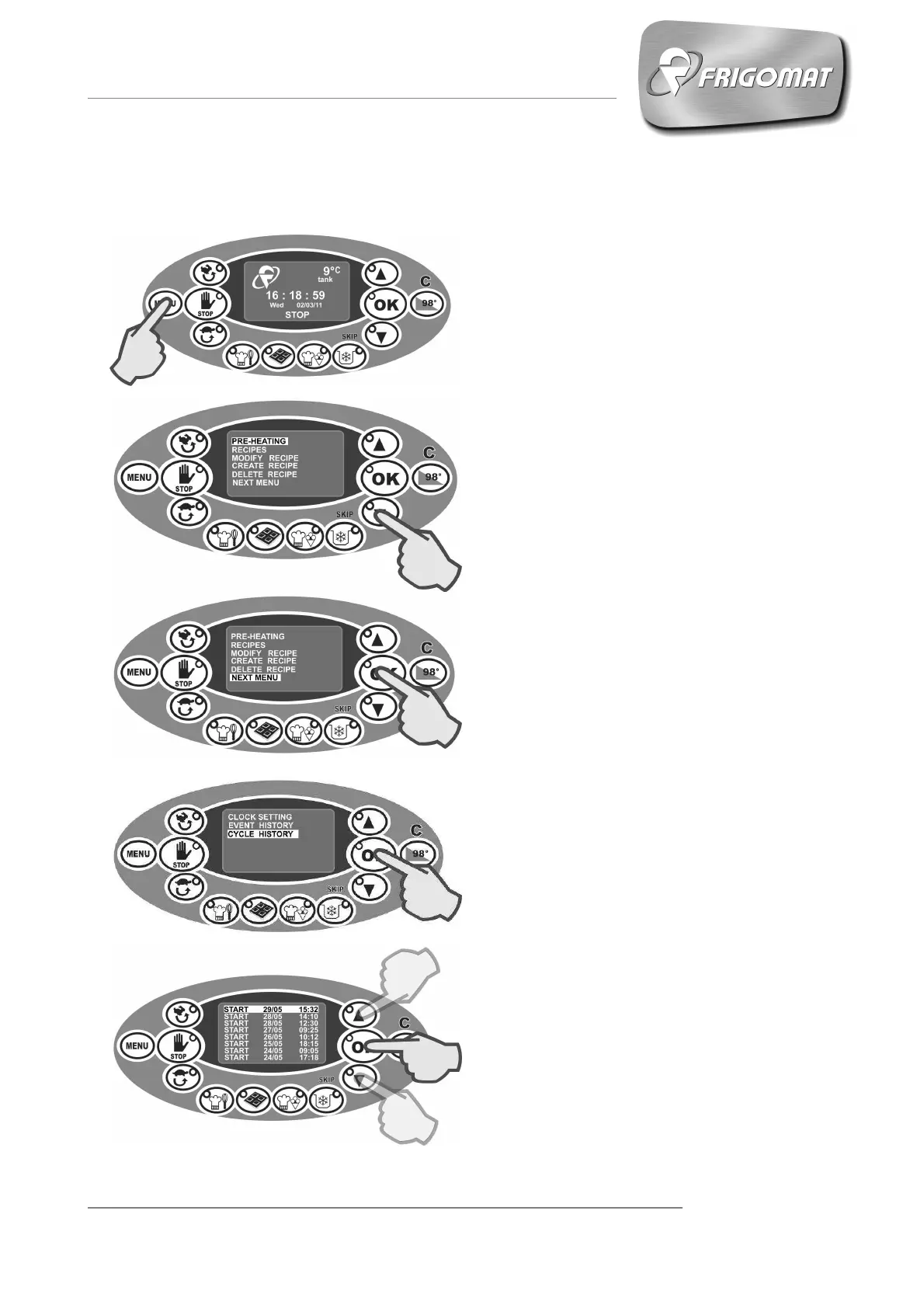
6.8 CONSULTING “CYCLE ARCHIVE”
The list of cycles performed in the past
500 hours appears on the display.
Select the cycle you desire using the
“UP” and “DOWN” keys and then
press “OK”. (Fig.5).
The graphic of the cycle performed
appears on the display.
Fig.1
Fig.2
Fig.3
Fig.4
Press “
” several times until
selecting the entry “CYCLE HISTORY”
Press “OK” to confirm (fig.4).
Press the “
” key to access the
main screen (fig.1-2).
.
Press “
” several times until
selecting the entry “NEXT MENU” (fig.
2-3).
Press “OK” to access the screen of the
following menu.
Fig.5











 To Next Page