EXTRAORDINARY MAINTENANCE (INTENDED FOR QUALIFIED PERSONNEL)
These operations are reserved exclusively for authorised qualified personnel. FRIGOMAT
S.r.l. will not be held liable for damage to objects or harm to persons which occur due to
failure to comply with the above.
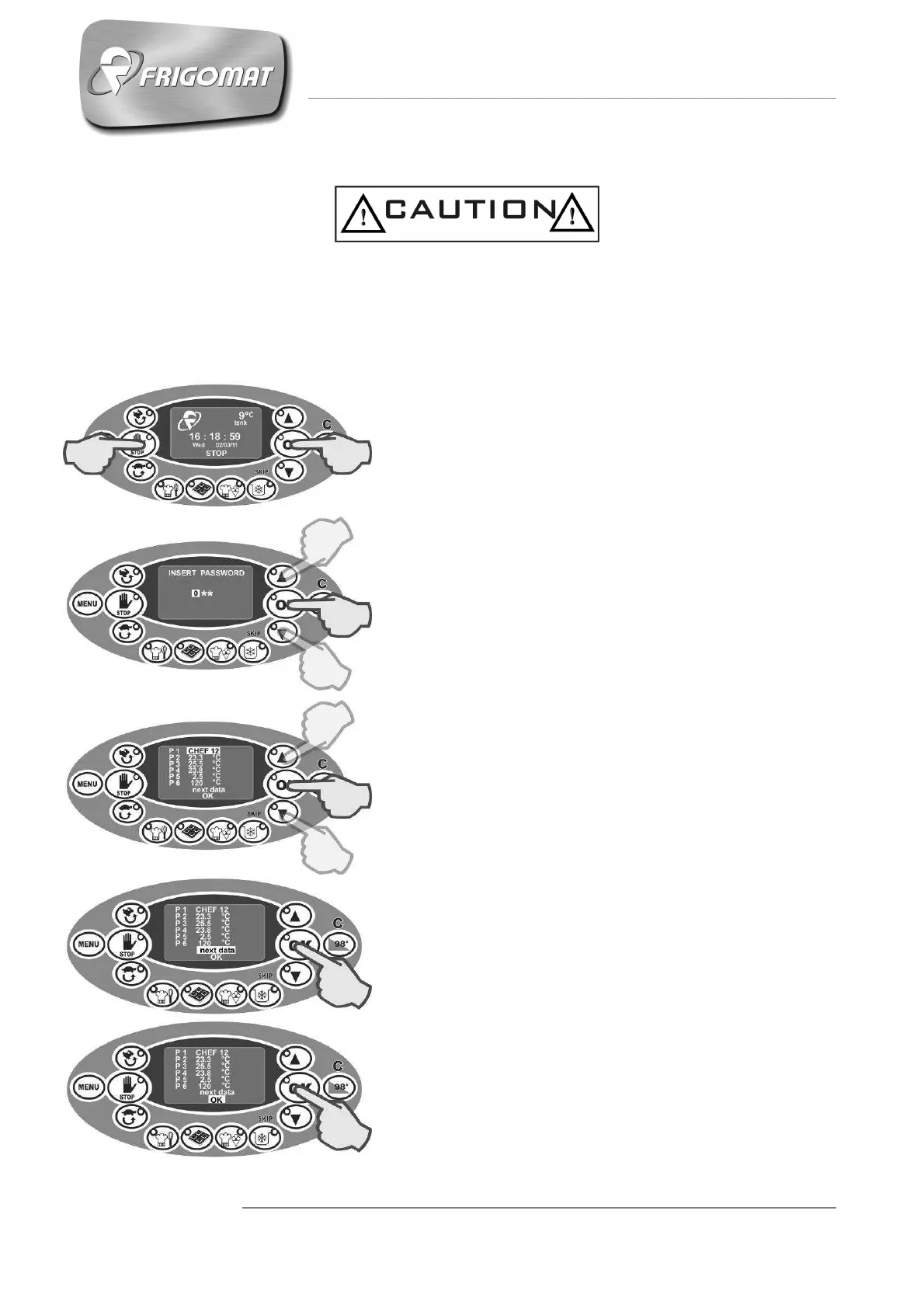
Refer to the following instructions to program the circuit board:
10. Make sure the cover of the tank is closed
tight.
11. Power the machine.
12. With the machine at STOP, press “OK” and
“STOP” (fig.1) simultaneously and release them
only after the password identification screen
appears.
13. Press the “UP”, “DOWN” and “OK” keys to
type in the password and then confirm it. If you
do not know the password, contact the
Frigomat assistance service (fig.2).
14. When the password has been accepted,
the screen accesses the list of programming
steps directly. The first programming step P1 is
selected automatically and flashes (Fig.3).
15. If you do not wish to change the value of
the selected step, press “OK” to directly access
the following step. Pressing “CANCEL” returns
you to the previous step.
16. If you wish to change the step selected,
press the “UP” or “DOWN” keys to increase or
decrease the value respectively. Then press
“OK” to confirm the data and to access the
following step.
17. To access the following screen which
contains more programming steps, select the
entry “Dati successivi” [Further data] at the
bottom of the page and confirm by pressing
“OK” (Fig.4).
18. To exit programming and to save the
changes, select the entry “OK” at the bottom of
the page and confirm by pressing the “OK” key
(Fig.5).
Fig.1
Fig.2
Fig.4
Fig.5
Fig.3











 To Next Page