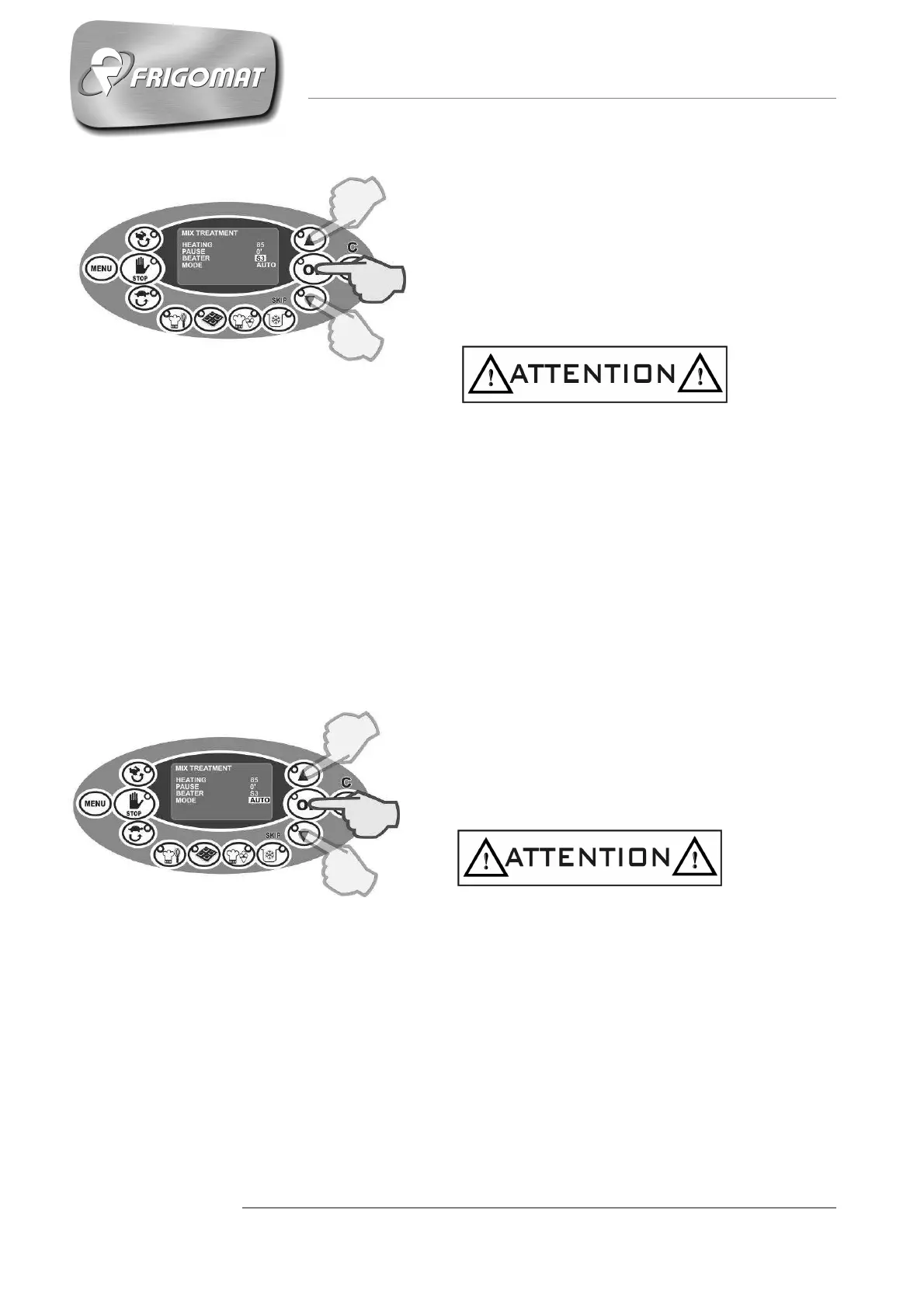
- BEATER (from S1 to S10)
After having programmed the stand-by time, it is
possible to set the mixing speed.
Press “UP” and “DOWN” keys to increase or
decrease the mixing speed value.
Press “OK” to confirm the data and pass to
programming the next item.
Programming the mixing speed operated by the user, is used by the machine with different
modes depending on the previously-set heating temperature, both higher and lower than
40°C.
- If the heating temperature has been programmed at a value higher than 40°, the
machine uses the speed programmed by the user only for heating temperatures
exceeding 40°, during the entire stand-by and in the next cooling phase to 4°.
- However, if the heating temperature has been programmed at a value lower than 40°,
the machine uses the speed programmed by the user during the entire heating phase,
in the stand-by and in the next cooling phase to 4°.
- MODE (AUTO OR STD)
After having programmed the mixing speed, it is
not possible to choose between 2 control modes
for maintaining the temperatures set: AUTO
(recommended choice) or STD.
Press “UP” and “DOWN” to select one mode or
the other.
Press “OK” to confirm the data.
Choosing the AUTO mode activates all the
automatic software controls for temperature
management and temperature drift control.
Choosing STD excludes software management of
temperature drift control.











 To Next Page