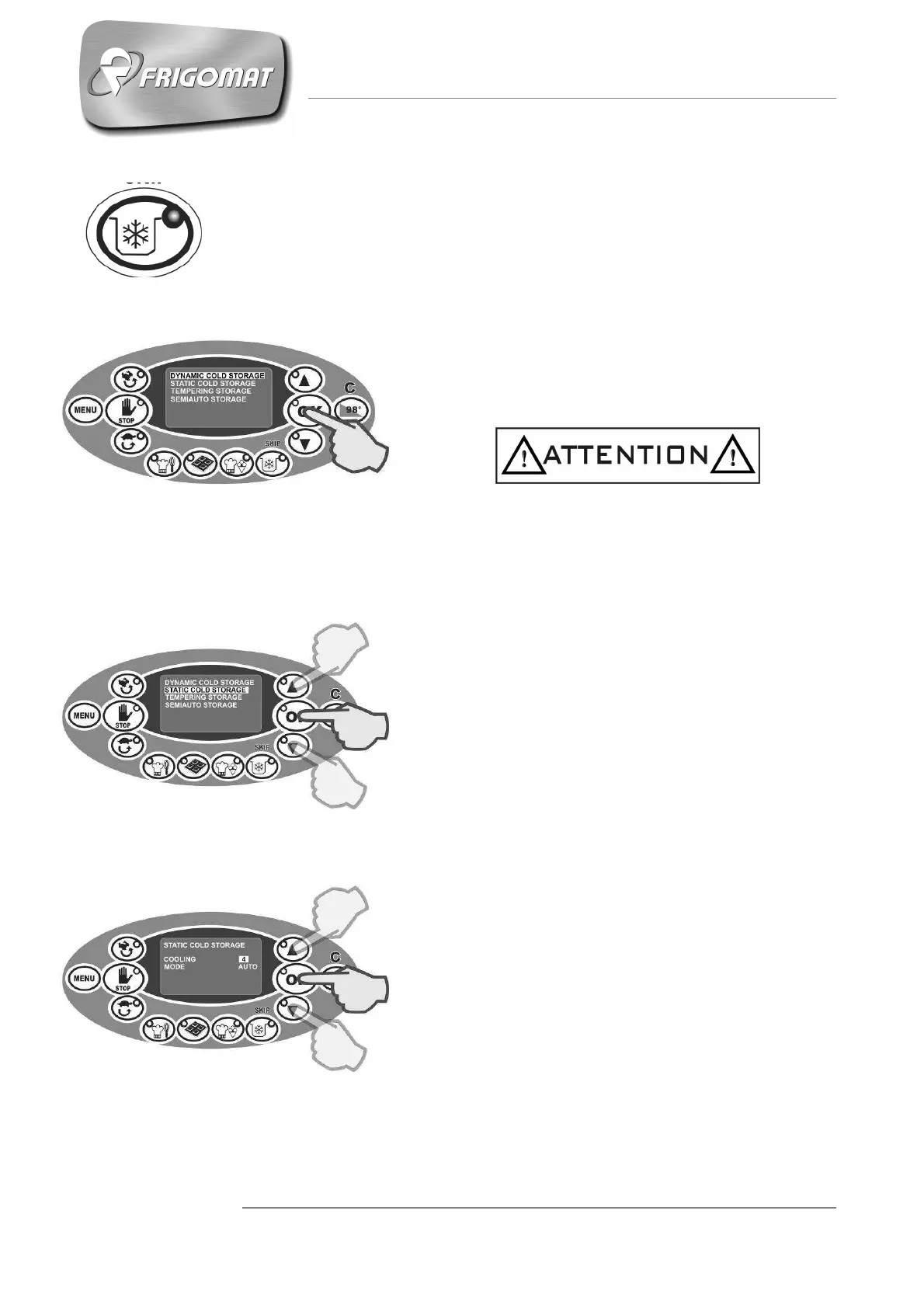
6.3.4 “STORAGE” RAPID SEMI-AUTOMATIC CYCLE
Press the “STORAGE” key to access the list of storage programs stored
in the memory :
6.3.4.1 DYNAMIC COLD STORAGE (S3)
Press the "STORAGE” key.
The first entry selected automatically concerns
cooling and storage at 4°C.
Press “OK” to start the cycle.
During reaching the temperature of 4°C the mixing
speed is S3. During the next storage phase, the
mixing speed is S3 cyclical.
6.3.4.2 STATIC COLD STORAGE (S0)
Press the "STORAGE” key.
Press the “UP” and “DOWN” keys until “STATIC
COLD STORAGE” is selected; press “OK” to
confirm and access the parameters screen relative
to the cycle:
- COOLING (from 1° to 4°)
The first entry selected automatically concerns the
cooling temperature of the product in the tank with
static mixing.
Press “UP” and “DOWN” keys to increase or
decrease the cooling temperature value.
Press “OK” to confirm the data and pass to
programming the next item.
- MODE (AUTO OR STD)
After having programmed the cooling temperature,
it is now possible to choose between 2 control
modes for maintaining the temperature set: AUTO
(recommended choice) or STD.
Press “UP” and “DOWN” to select one mode or
the other.
Press “OK” to confirm the data.











 To Next Page