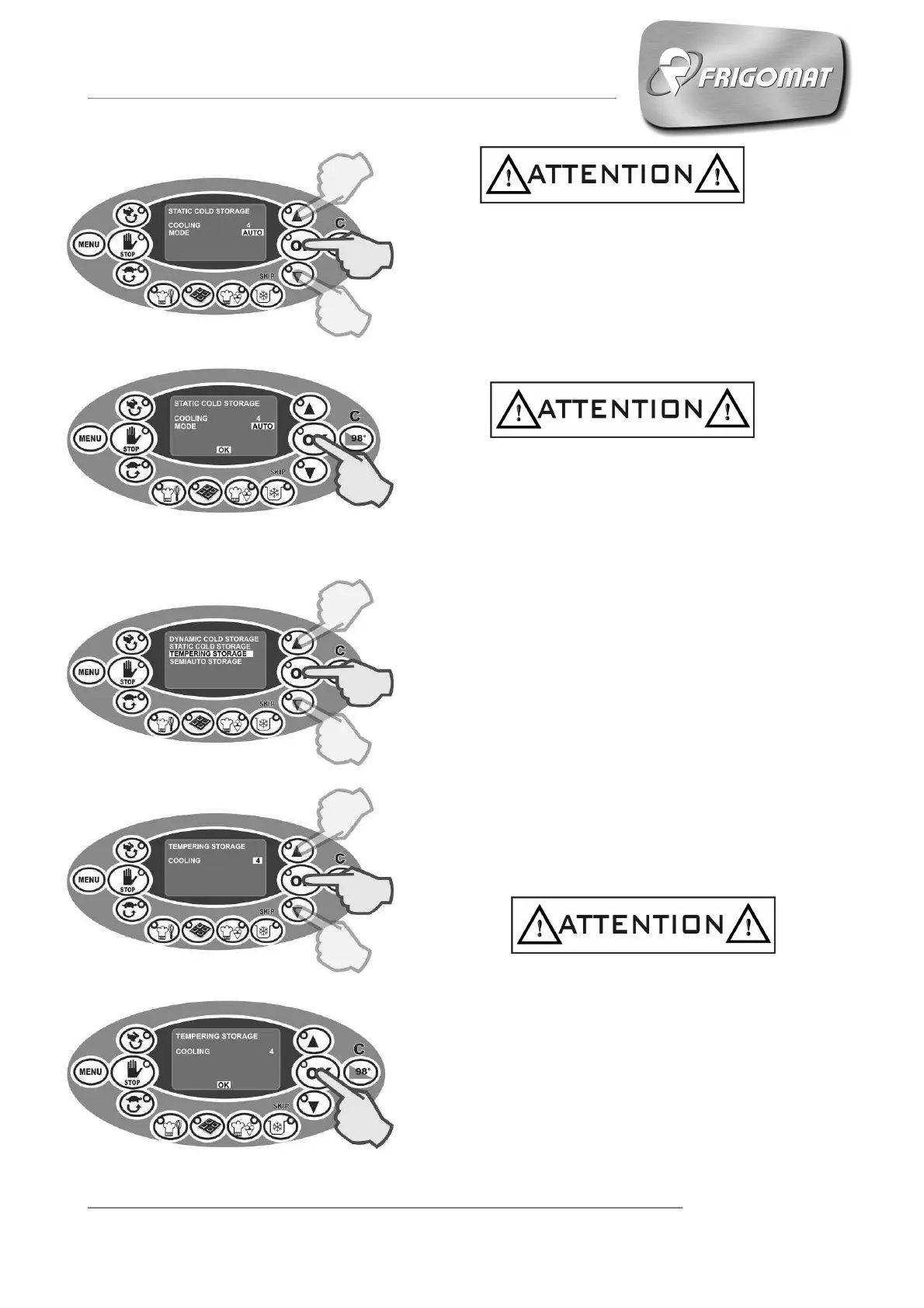
Choosing the AUTO mode activates all the
automatic software controls for temperature
management and temperature drift control.
Choosing STD excludes software management of
temperature drift control.
- Press “OK” to start the cycle.
When the cycle has ended, the storage phase
starts automatically at the temperature set by the
user with static S0 mixing and chronometer active.
6.3.4.3 TEMPERING CONSERVATION
Press the "STORAGE” key
Press the “UP” and “DOWN” keys until
“TEMPERING STORAGE” is selected; press “OK”
to confirm and access the parameters screen
relative to the cycle:
- COOLING (from 25° to 38°)
The first entry selected automatically concerns the
cooling temperature of the chocolate in the tank
with S2 mixing.
Press “UP” and “DOWN” keys to increase or
decrease the cooling temperature value.
Press “OK” to confirm the data.
- Press “OK” to start the cycle.
When the cycle has ended, the STORAGE phase
starts automatically at the temperature set by the
user with continuous S1 mixing and chronometer
active.











 To Next Page