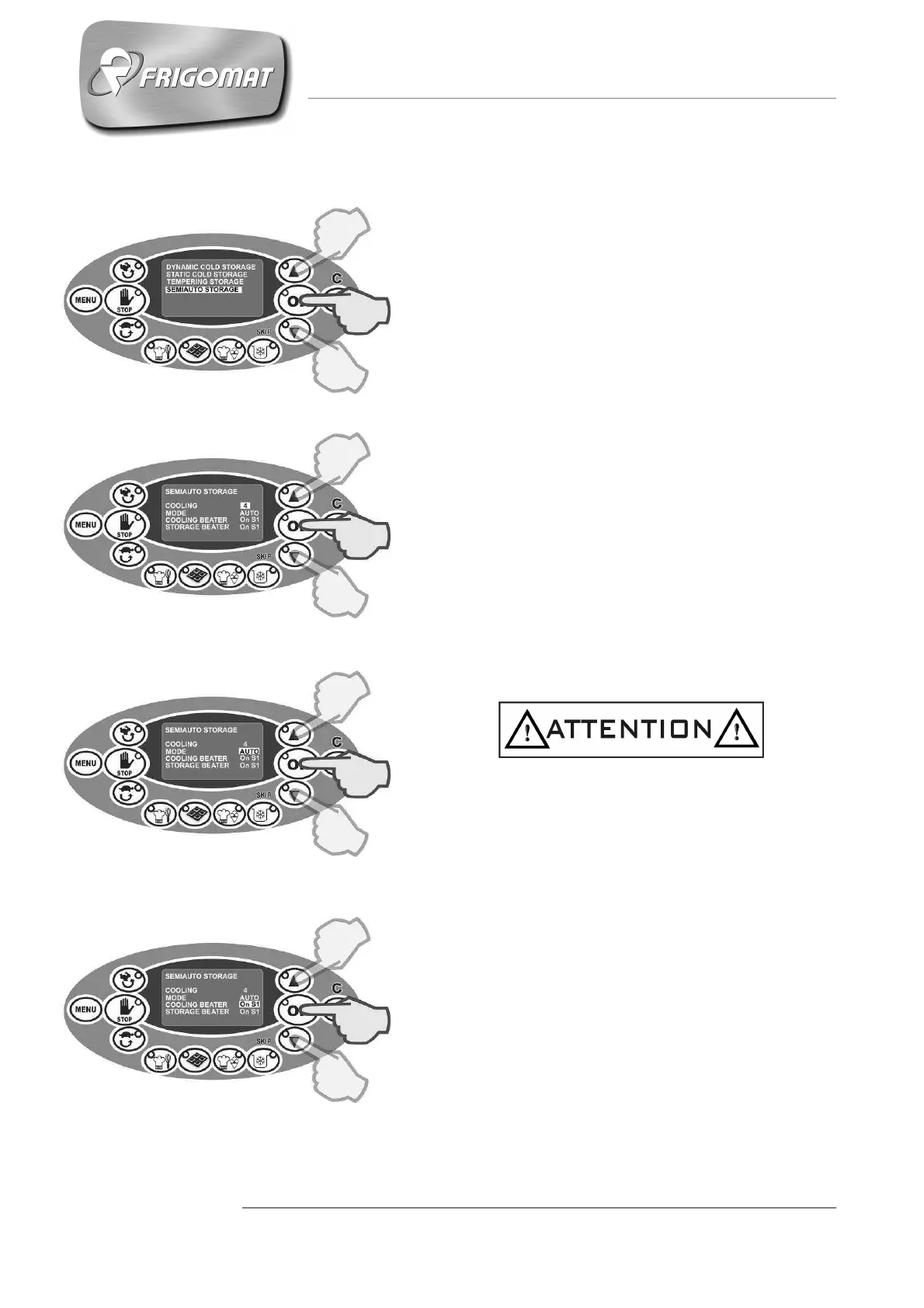
6.3.4.4 SEMI-AUTOMATIC STORAGE
Press the "STORAGE” key
Press the “UP” and “DOWN” keys until “SEMI-
AUTOMATIC STORAGE” is selected; press “OK”
to confirm and access the parameters screen
relative to the cycle:
- COOLING (from 1° to 115°)
The first entry selected automatically concerns the
cooling temperature of the product in the tank:
Press “UP” and “DOWN” keys to increase or
decrease the cooling temperature value.
Press “OK” to confirm the data and pass to
programming the next item.
- MODE (AUTO, COOLING, HEATING)
After having programmed the cooling temperature,
it is now possible to choose between the control
modes for maintaining the temperature set: AUTO
(recommended choice) COOLING or HEATING
(only for experts).
Press “UP” and “DOWN” to select the desired
mode.
Press “OK” to confirm the data.
Choosing the AUTO mode activates all the
automatic software controls for temperature
management and temperature drift control.
Choosing COOLING or HEATING modes
excludes software management of temperature
drift control.
- COOLING BEATER
After having controlled the temperatures
maintenance control mode, it is possible to set the
mixing speed in the arrival phase at the
temperature set by the user.
Press “UP” and “DOWN” keys to increase or
decrease the mixing speed value.
Press “OK” to confirm the data and pass to
programming the next item.











 To Next Page