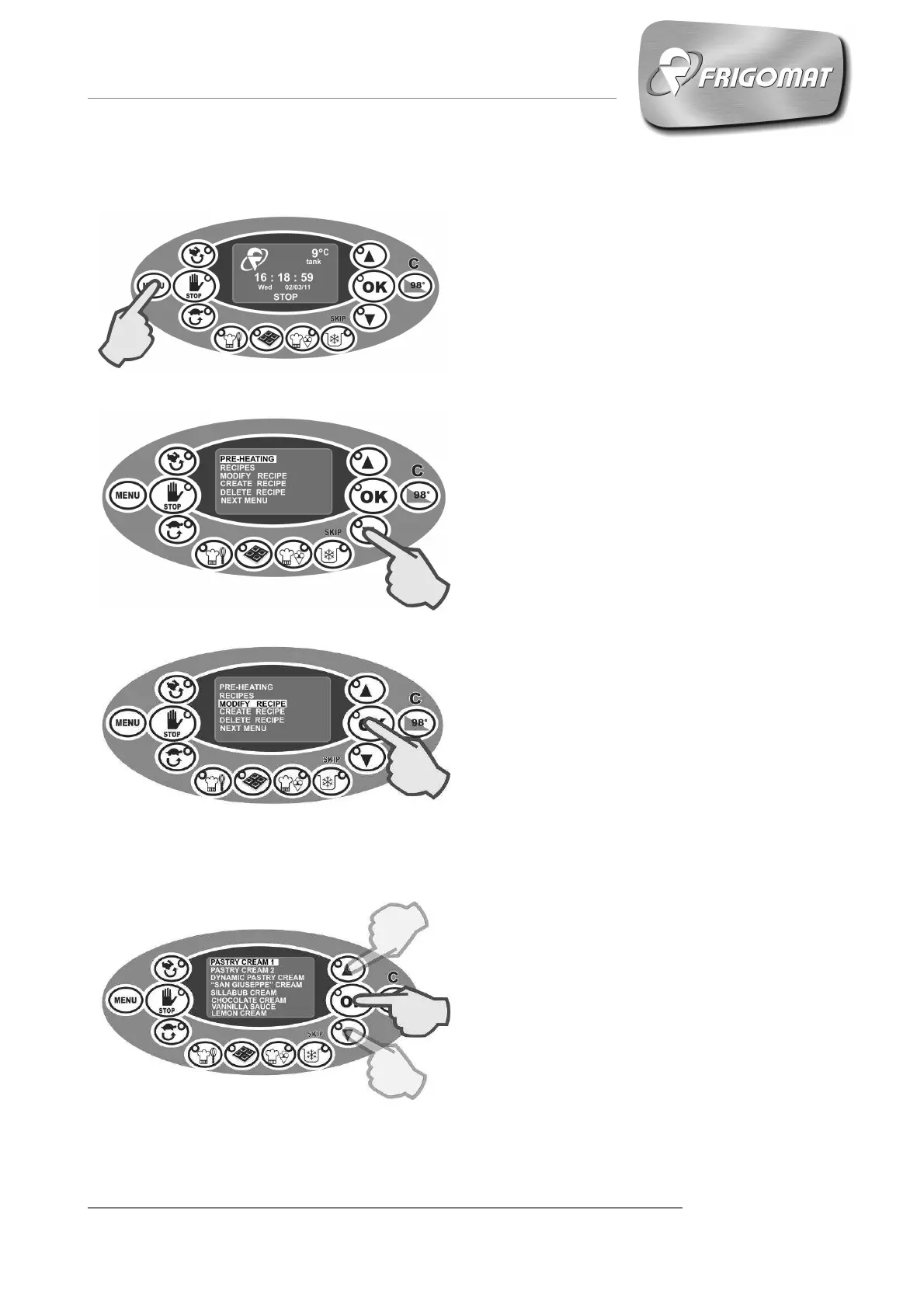
6.4.3.1 "CHANGE RECIPE" MENU (only for experts)
Press the “
” key to access the
main screen (fig.1-2).
.
Press “
” several times until
selecting the entry “MODIFY RECIPE”
(fig. 2-3).
Press “
” to access the list of recipes
included in the memory (fig.3-4).
Press “
” and/or “
” to scroll
the list of recipes in the memory. A
maximum of 8 recipes are displayed
on each screen.
Having selected the recipe you wish to
change, for example “PASTRY
CREAM 1” as in the figure, press “OK”
to modify the Step 1 of the recipe
selected (Fig. 4-5).
Fig.1
Fig.2
Fig.3
Fig.4











 To Next Page