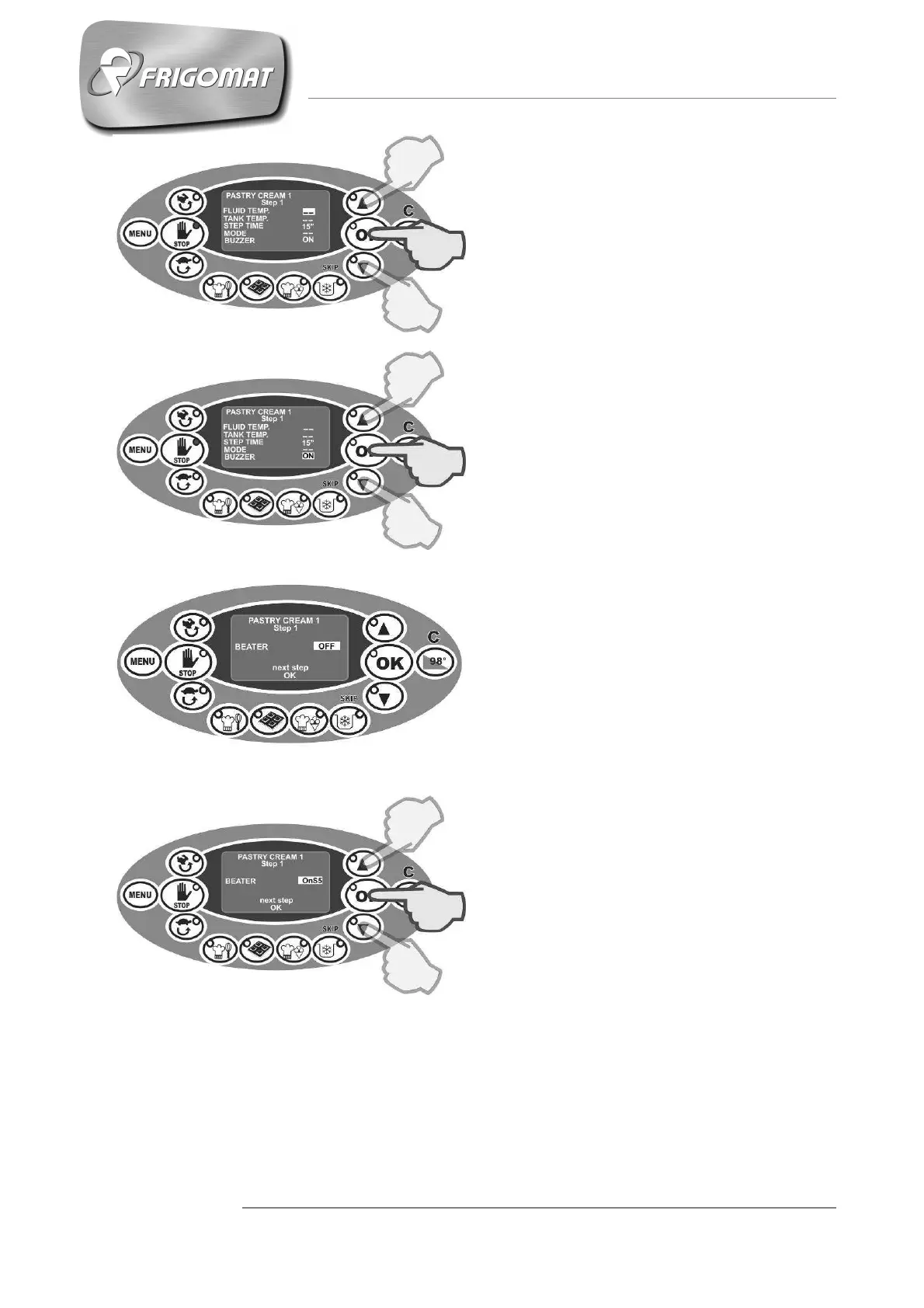
The first entry, selected automatically,
is the regulation of the bain-marie fluid
temperature (glycol) of the Step in
progress: press “UP” and “DOWN” to
increase or decrease this value.
Then press “OK” to confirm the value
set and pass on to the following entry
(fig. 5).
Repeat the same adjustment
procedure for the other entries which
make up the first screen of Step 1:
- Temperature limit of the product in
the tank;
- Stand-by time during which the set
temperature of the product in the
tank remains constant;
- Thermostat control operative mode;
- Buzzer activation (fig.6).
When all the entries making up the first
screen of the display have been
programmed, the second screen
appears automatically where beater
can be adjusted (fig. 7).
Fig.5
Fig.6
Fig.7
Press the “
” and “
” keys to
increase the beater speed. (fig.8).
Press “OK” to confirm the choice.
Fig.8











 To Next Page