When all the entries making up the first
and second screen of the display have
been programmed, the entry “NEXT
STEP” automatically appears selected
at the bottom of the screen.
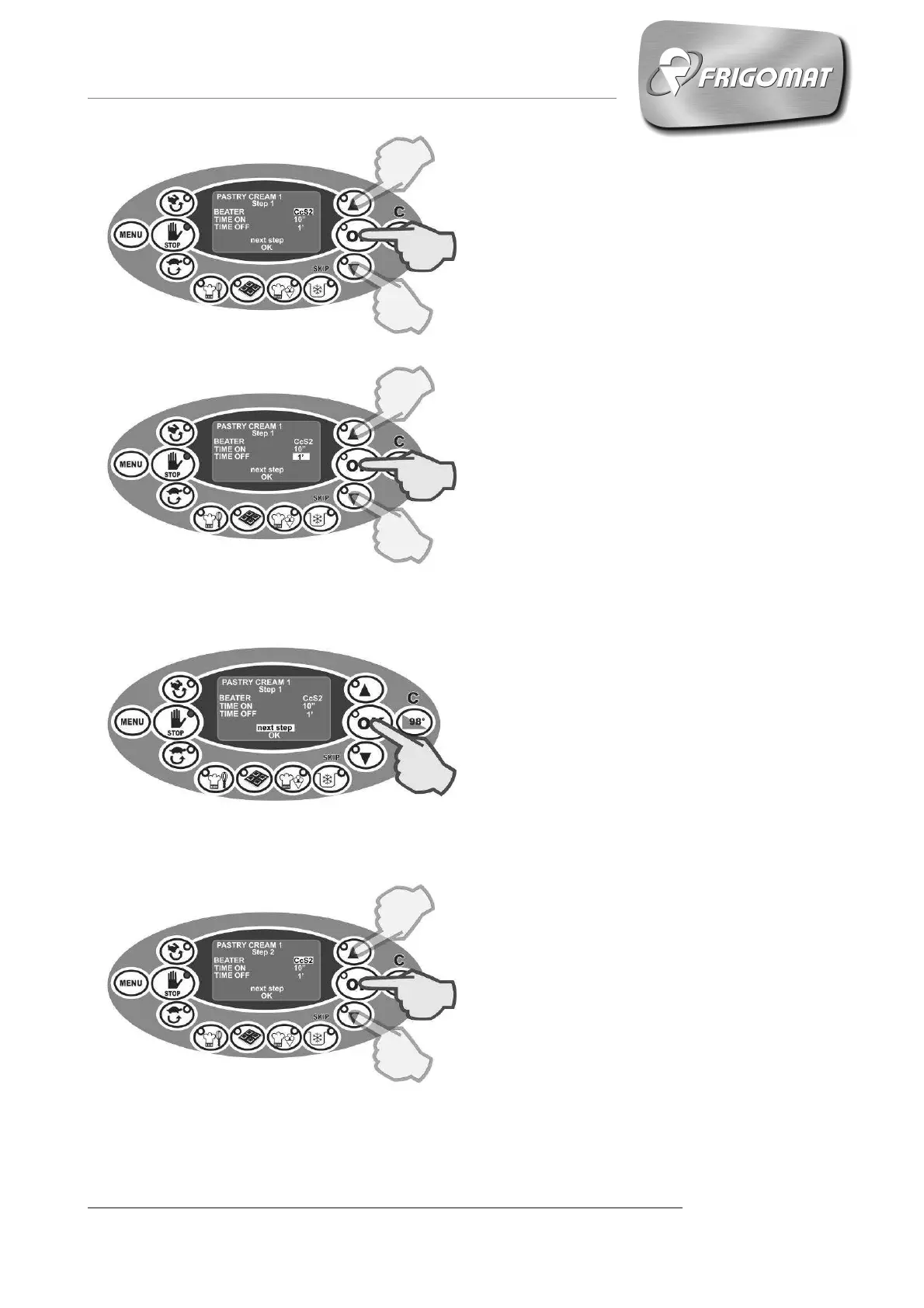
Press “OK” to confirm the choice
(fig.12).
In the cyclical mixing mode CS and
conditioned cyclical mode Cc, pressing
“OK” selects the time span the beater
will be turned on. It can be chosen at
will by using the “UP” and “DOWN”
keys (fig.10).
Pressing “OK” confirms the
adjustment, then passing on to
automatic mode to select the stand-by
mixing time, which can be adjusted the
same way(fig.11).
Fig.10
The following screen highlights the
passage to step 2 where all the
adjustments shown for step 1 are
possible, and so on for all the
necessary steps up to a maximum of
15. (fig.13)
Fig.13
Fig.11
Fig.12











 To Next Page