FRITZ!Box 6490 Cable 22
Establishing a Wireless LAN Connection Using WPS
1. If the FRITZ!Box“ LED on the WLAN” is off, press the
“WLAN” button briefly.
The wireless radio network of the FRITZ!Box will be
switched on.
2. Open the wireless LAN software on the computer.
In Windows 8 and 7, for instance, click the wireless LAN
symbol in the task bar.
3. Select the wireless radio network of the FRITZ!Box.
The preconfigured name of the wireless LAN radio net-
work is “FRITZ!Box 6490 Cable”.
4. Click “Connect”.
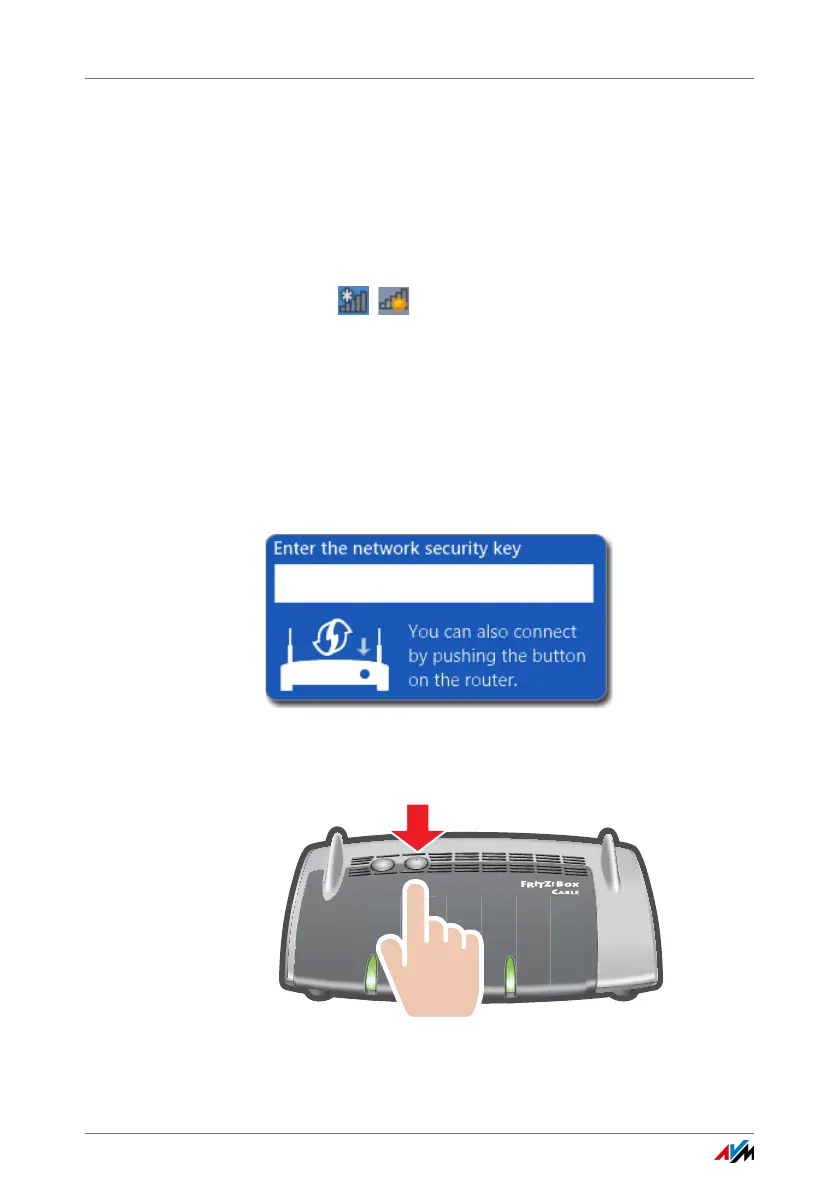
The field for the network key appears, along with the in-
formation that you can establish the connection by
pressing a button on the router:
5. For this step you have two minutes: Press the FRITZ!Box“
button on the WLAN” and hold it down until the “WLAN”
LED begins flashing.
The wireless LAN connection will be established.
W
L
A
N
D
ECT
WP
S
Power / Cable
Fon
DECT
W
LAN
I
n
fo















 To Next Page