Registering FRITZ!Fon and Other Cordless (DECT) Telephones
FRITZ!Box 6490 Cable 37
9.3 Registering FRITZ!Fon and Other Cordless (DECT) Telephones
Up to six cordless DECT telephones can be registered on the
FRITZ!Box.
1. Start the registration of your cordless telephone with a
base station.
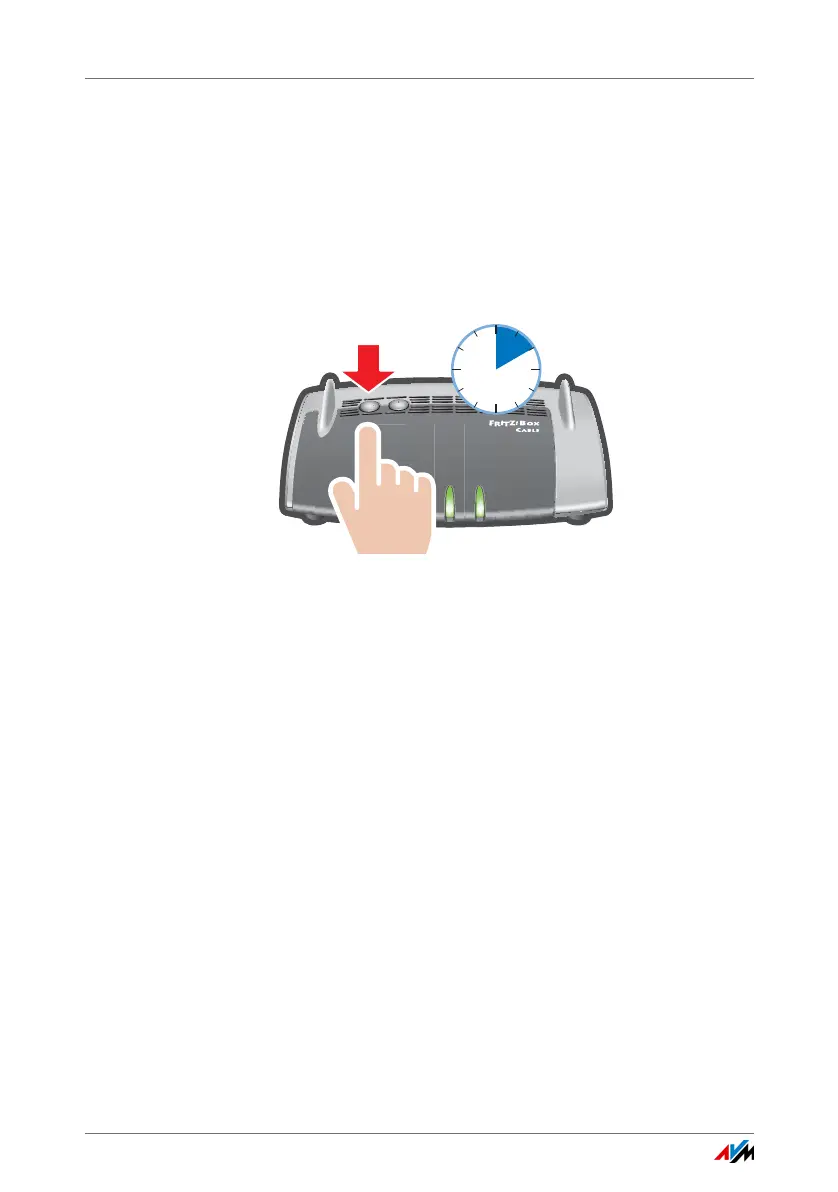
2. Press and hold down the FRITZ!Box button on the DECT
until the DECT LED on the FRITZ!Box flashes.
3. If you are asked on your cordless telephone for the PIN of
the base station, enter the PIN of the FRITZ!Box.
The preset value is 0000. The PIN is listed in the
FRITZ!Boxuser interface under “DECT / Base Station”.
The cordless telephone is registered with the FRITZ!Box.
4. Configure the cordless telephone in the FRITZ!Box; see
page 40.
9.4 Registering an iPhone or Android Smartphone
With FRITZ!App Fon you can used your Android smartphone or
iPhone as a cordless telephone registered with the FRITZ!Box.
Requirements
• iPhone iOS 4 or later, or Android smartphone with Goo-
gle Android 2.1 or later
WLA
N
DEC
T
W
P
S
Power /
C
abl
e
Fon
DE
C
T
WL
AN
Info
10 seconds















 To Next Page