FRITZ!Box 6490 Cable 36
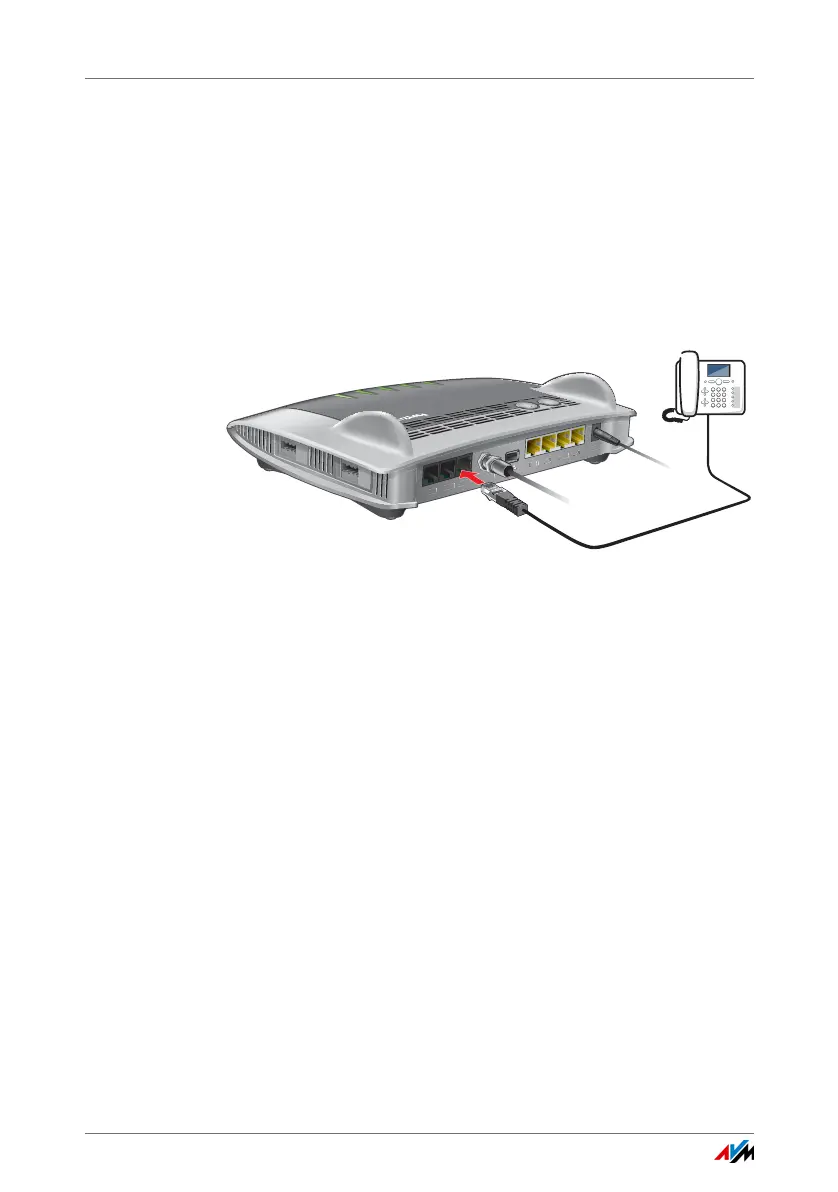
Connecting ISDN Telephones and ISDN Terminal Devices
9.2 Connecting ISDN Telephones and ISDN Terminal Devices
Requirements
• ISDN terminal devices must support operation on an
ISDN point-to-multipoint line.
Connecting an ISDN Telephone
1. Connect the ISDN telephone to the “FON S
0
” port.
2. Configure the ISDN telephone in the FRITZ!Box; see
page 40.
Connecting Multiple ISDN Telephones
With S
0
bus cabling you can connect up to eight ISDN tele-
phones to the FRITZ!Box. Please note for configuration:
• Since the FRITZ!Box has terminators installed, the
FRITZ!Box must be positioned on one end of the S
0
bus
cabling.
• The FRITZ!Box can supply one ISDN telephone with elec-
trical power. All other ISDN telephones will need their
own power supply.
FON 1
FON 2
LAN 1
LAN 2
LAN 3
L
AN 4
Power
FON S
0
W
LAN
W
P
S
D
E
CT
In
f
o
W
L
A
N
D
E
C
T
F
o
n
P
o
wer
/C
a
bl
e
CABLE















 To Next Page