107
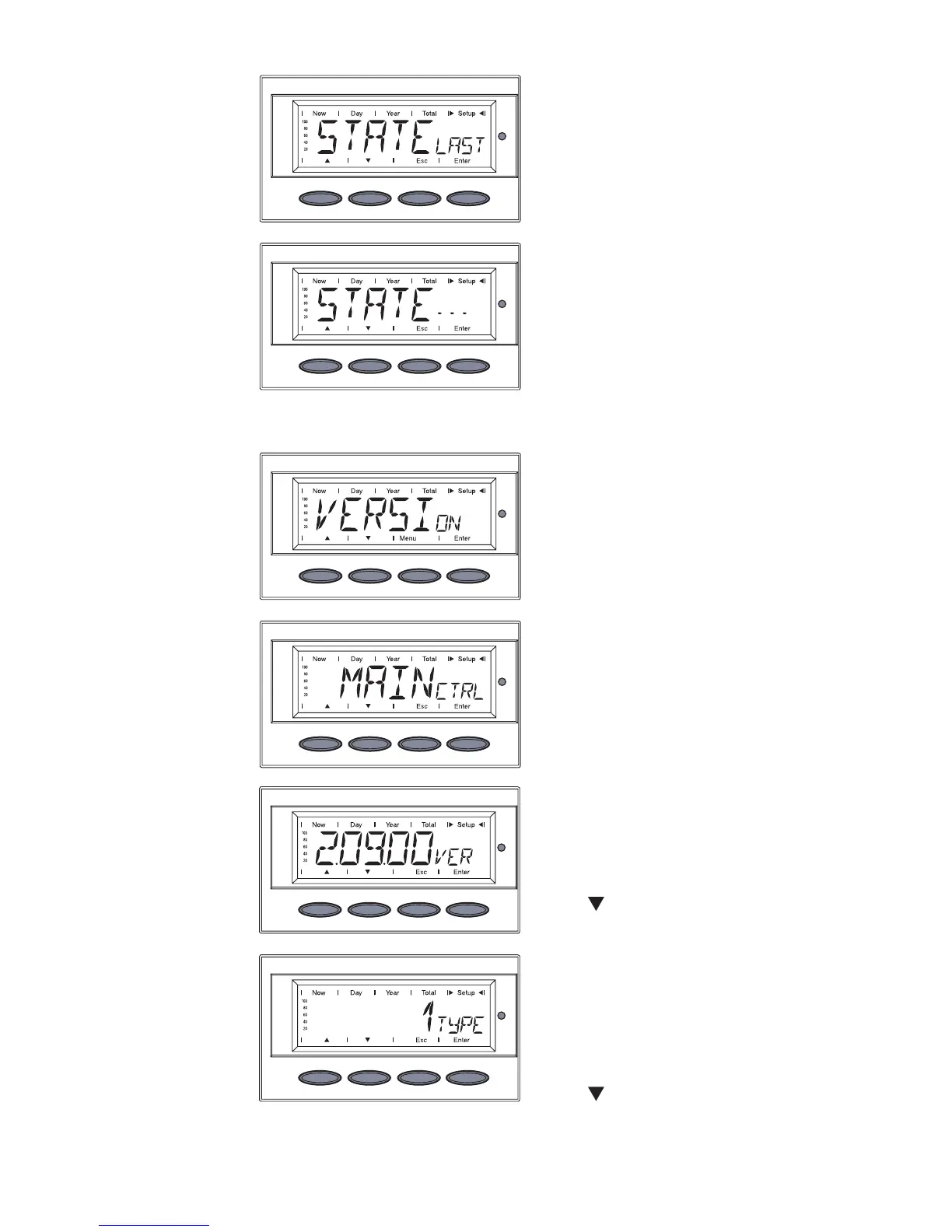
The component ID of the IG
Brain unit is displayed
5. Press ‘Down’ to display the
identification number of the IG
Brain unit
The version number of the IG
Brain unit is displayed
4. Press the ‘Down’ key to display
the component ID.
Displaying the
‘STATEPS’
menu option
(continued)
the last saved status message.
7. Press the ‘Esc’ key 2x to exit
the ‘STATEPS’ menu option
The display switches between
...
‘STATELAST’
and
Displaying the
‘VERSION’
menu option
1. Select the ‘VERSION’ menu
option
2. Press the ‘Enter’ key
‘MAINCTRL’ is displayed
3. Press ‘Enter’ to display the
version number of the IG Brain
unit



 To Next Page