71
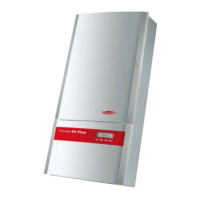
Fronius IG Plus Device Description
Controls and
Indicators
(1)
(2)
(3)(4)(5)(6)
Controls and Displays on the Fronius IG Plus
Item Function
(1) Display
for displaying values, settings and menus
(2) LED operating status
for displaying the operating status
(3) ‘Enter’ key
for confirming a selection
(4) ‘Menu / Esc’ key
for scrolling through menu options
for exiting the Setup menu
(5) ‘Down/Right’ key
depending on the selection:
for navigating down
for navigating right
(6) ‘Left/Up’ key
depending on the selection:
for navigating left
for navigating up
Display Power for the display comes from the solar modules via safety-low volta-
ge. The display is therefore available during daylight hours.
Important The Fronius IG Plus display is not an aligned measuring instru-
ment. A slight deviation of a few percent points is intrinsic to the system.
An aligned meter will be required to make calculations for the utility com-
pany.



 To Next Page