1.2.5 MIB (Manual Interface Board) Auto Filtration Failure Scenarios
Failure Display Solution
Cannot open drain valve. Vat # alternating with O, fast
blinking drain LED.
Check drain valve.
No message from the cooking
computer, indicating that the oil
has drained out.
Vat # alternating with d, fast
blinking drain LED.
Close drain valve.
Cannot open return valve
Vat # alternating with O, fast
blinking return LED.
Close drain valve.
Cannot close drain valve
Vat # alternating with C, fast
blinking drain LED.
Turn off pump. Close Return
Valve. Open Drain valve in
case something is stuck.
Actuator is not plugged in. Vat # alternating with E. Plug in actuator.
Cannot close return valve
Vat # alternating with C, fast
blinking return LED.
Check return valve.
Manual board never gets a
response back from AIF board
indicating success or failure in
filtering.
“N” is displayed. Check network cable from
MIB plug J2 to AIF plug J4.
1.2.6 Replacing the MIB Board
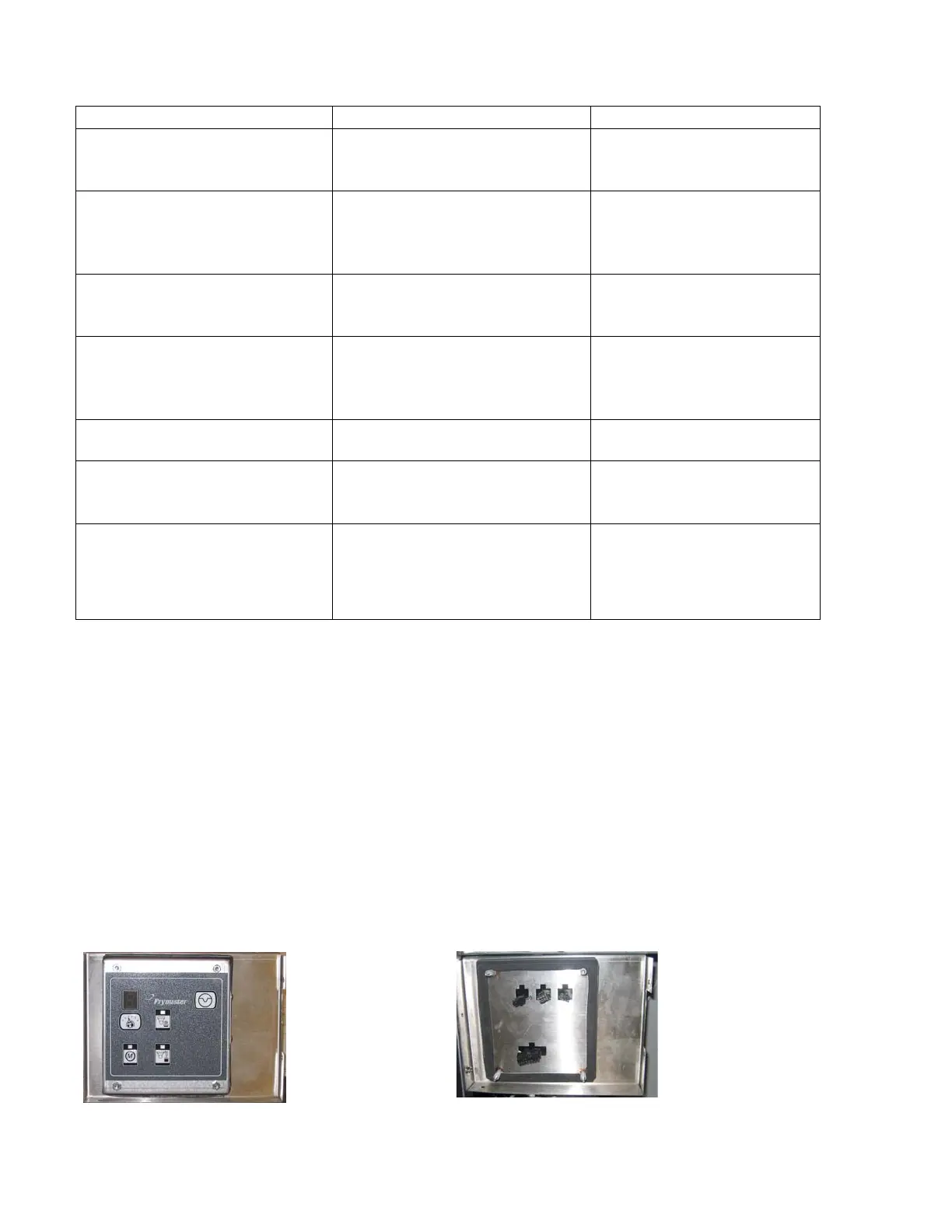
Disconnect the fryer from the electrical power supply. Remove the torx screws from the MIB
cover, exposing the MIB board (see Figure 9). Removing the four nuts in the corners
disconnects the MIB board. Carefully remove the plugs on the rear of the board (see Figure 10).
Replace with a new MIB board and reverse steps to reassemble. Once replaced, reconnect the
power.
The board will need to be readdressed to the system. Readdress the fryer by pressing and
holding
3and 4 simultaneously for TEN seconds until a third chirp is heard and code
appears. Enter 2007. The MIB display will display L for several seconds followed by the vat
number alternating with “r” until the readdress is complete. When the readdress is finished, the
MIB board will display A. This step must be done when a MIB board is replaced. The
readdress procedure can be done from any one M2007 computers in the bank.
Figure 9
Figure 10















 To Next Page