Buttons and LED’s
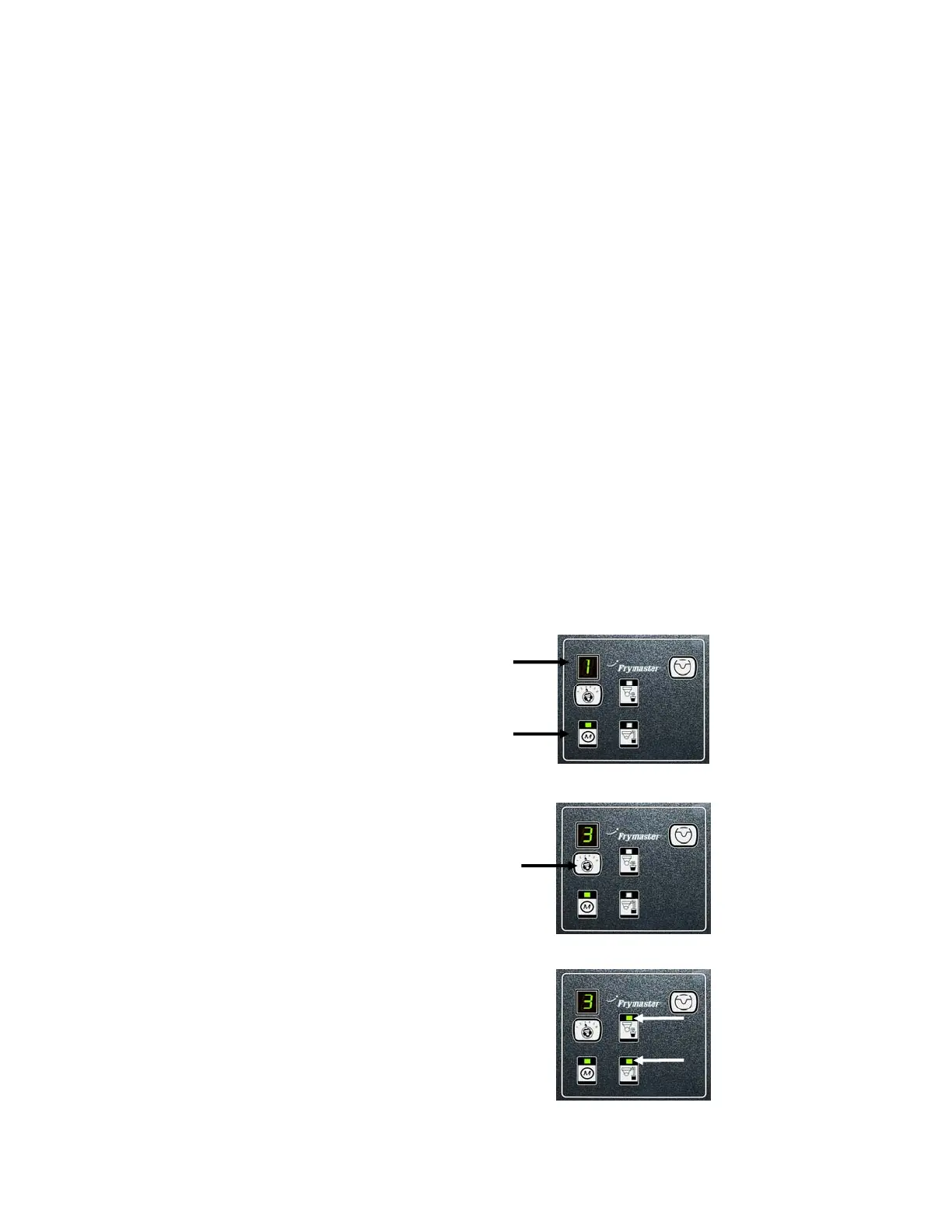
Manual – This button is used to toggle between auto and manual filtration mode. A
corresponding LED is lit when in Manual mode. When pressed, a message will be sent to all
vats, indicating the mode has changed.
The following buttons are inoperable in auto mode:
Select - This button is used to scroll through available vats, choosing one to be manually filtered.
Drain – This button is used to open and close the drain on the vat indicated on the display.
When the button is pressed and the manual board is waiting for a response from the AIF board,
the corresponding LED will blink slowly. Once a response is received the LED will be
illuminated if the drain is open or extinguished if the drain is closed. If a message was not
received from the AIF board, it times out and the LED will blink rapidly.
Return – This button is used to open and close the return valve on the vat indicated on the
display. It also turns on and off the pump. When the button is pressed and the manual board is
waiting for a response from the AIF board, the corresponding LED will blink slowly. Once a
response is received, the LED will be illuminated if the return is open or extinguished if the
return is closed. If a message is not received from the AIF board, it times out and the LED will
blink rapidly. The pump is turned off first before closing the return valve or the valve will open
first before turning on the pump.
1.2.1 Manually Draining, Refilling or Filtering using the MIB board
Press the manual/auto switch to set to manual.
The LED on the manual key will illuminate
and a vat number is displayed (see Figure 6).
Figure 6
Press the vat selector switch to change vats
(see Figure 7).
Figure 7
Pressing the drain or return switch illuminates
and activates the drain or return valve for the
vat indicated. Pressing both allows filtration
(see Figure 8).
Pressing the manual/auto switch will return to
automatic mode.
Figure 8















 To Next Page