Flluid 1
15
Voltage Percent OFF
TOUR
ZEIT
TOUR
ZEIT
TOUR
ZEIT
TOUR
ZEIT TOUR
ZEIT
TOUR
ZEIT
USING YOUR FLLUID
Setting up your Display
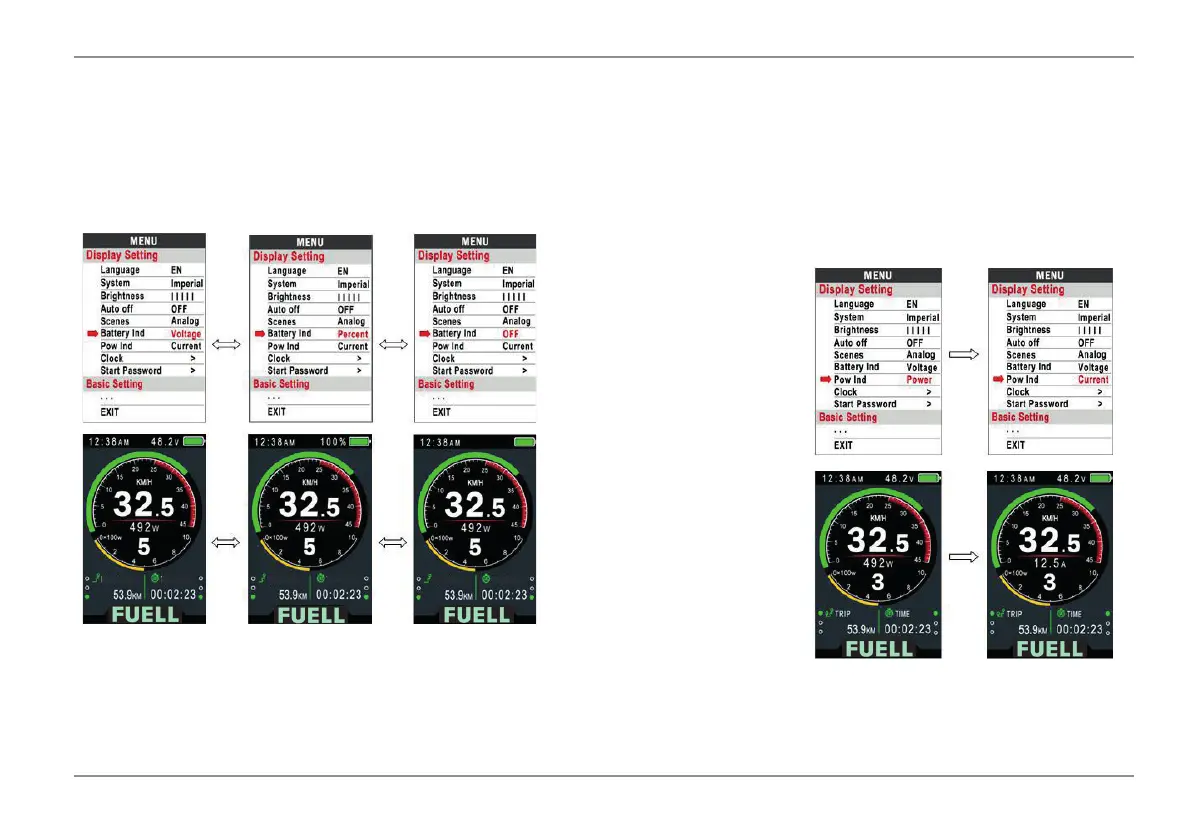
Battery Indicator: Use the UP or DOWN button to change the battery indicator:
Voltage / Percent / Off.
- For an exact percentage, communication with the battery is required.
Power Display: With the up or down key
you can change the power display:
voltage / current.
- These data refer to the power output of
the battery (not the engine).



 To Next Page