Flluid 1
16
USING YOUR FLLUID
Setting up your Display
NOTE: Inside the device is a battery to power the clock even when the bike is turned off.
The battery is charged when the display is on (while riding). If the battery is discharged
after a long period without use (for example, after winter or during transport), the battery
must be recharged as follows:
Settings menu: Auto off -> OFF (so the display can not turn off automatically)
Leave the display on for 72 hours; the battery will be charged.
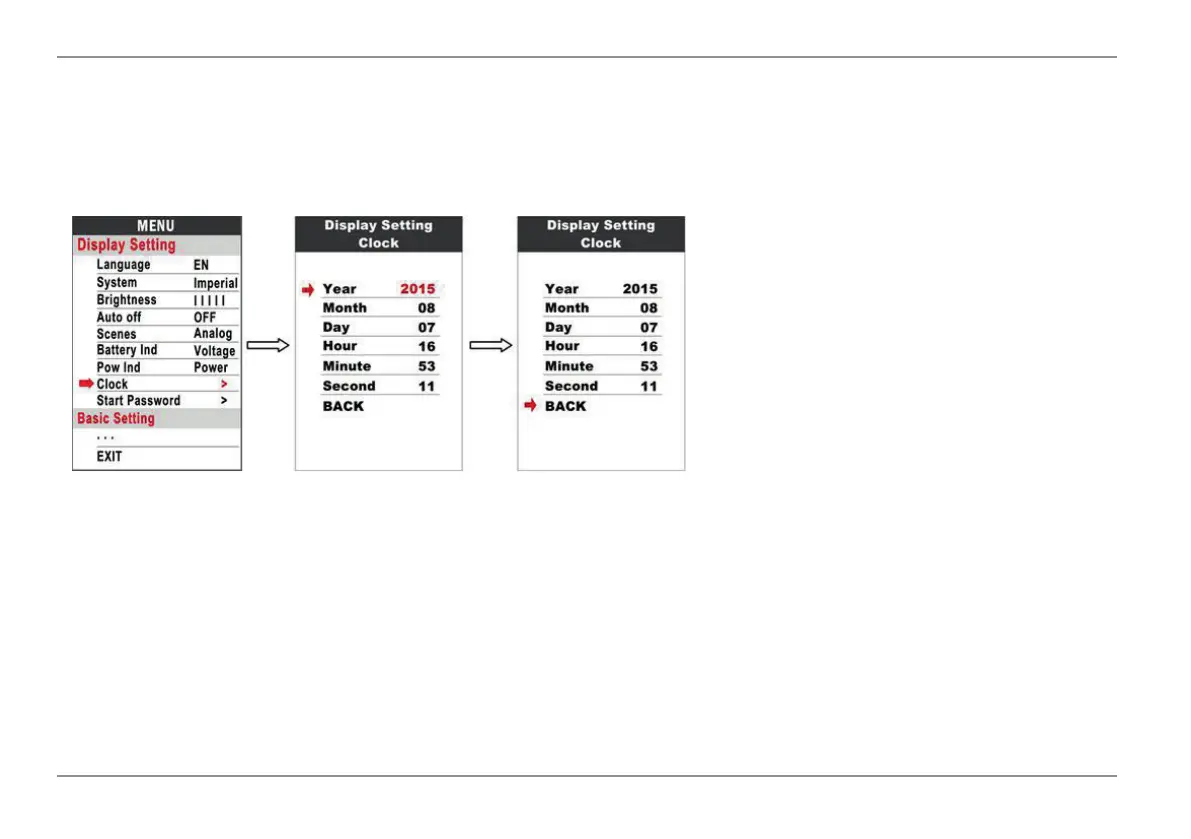
Clock: To set the clock, use the power
button to call up the clock menu.
Use the UP and DOWN buttons to set Year
/ Month / Day / Hour / Minute / Second.


 To Next Page