-35-
v Finisher C
5.
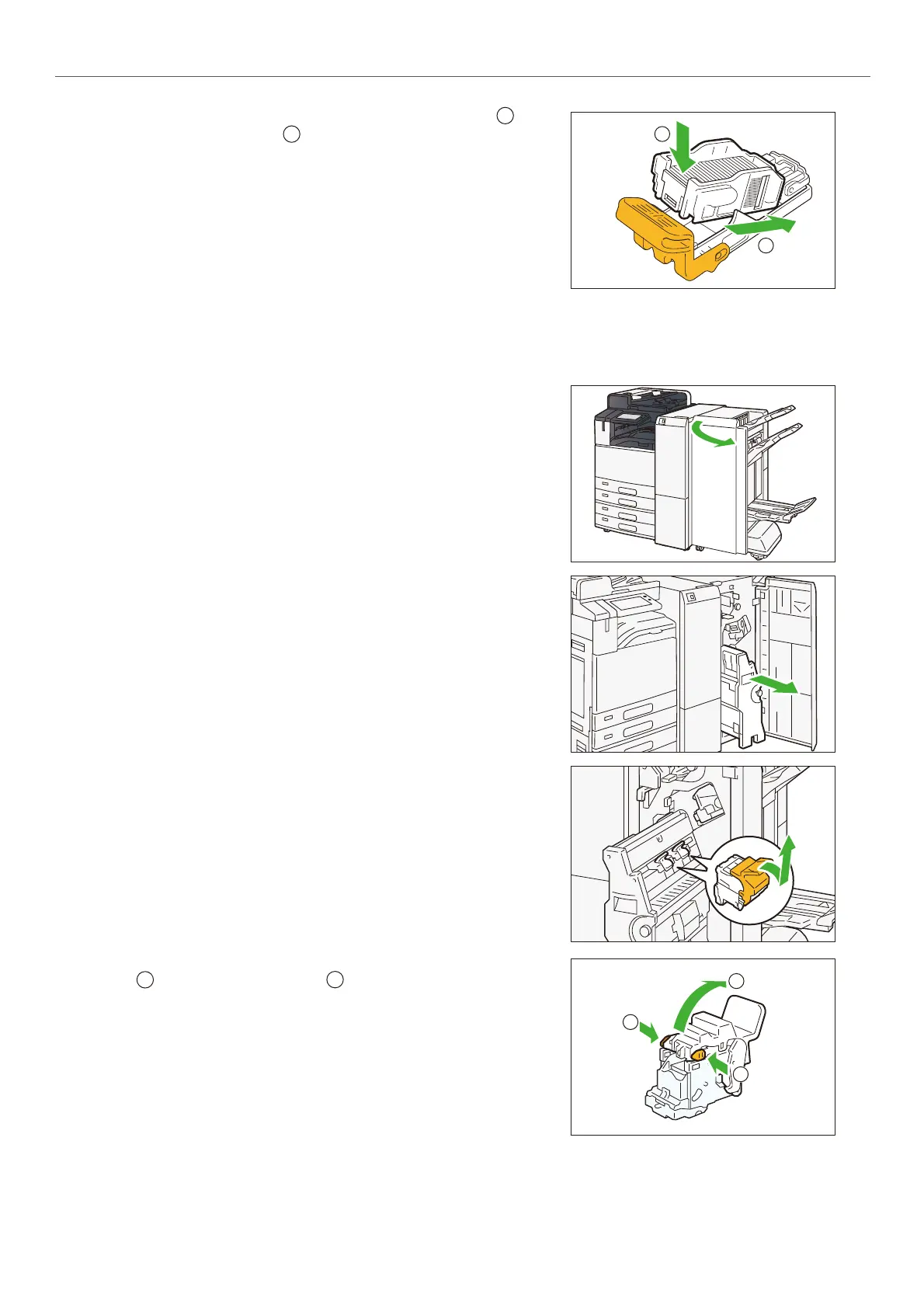
Insert a new staple case into the cartridge ( ) and
push the back side ( ).
6.
Insert the cartridge into the original position.
Hold the lever and lightly press it up until you hear a click.
7.
Close the cover.
Staple cartridges for saddle stitch
Staples type XE (2PCS)
1.
Confirm that the machine is not operating, and open
the Cover.
2.
Pull out the Booklet Maker [4].
3.
Hold the cartridge lever and pull it out.
4.
Push the orange buttons on either sides of the cartridge
() and open the cover (
).
Push the metal part of the cartridge up.
1
2
1
2
1
1
2
1
2



 To Next Page
 Loading...


