6 Problem Solving
82
Problem Solving
6
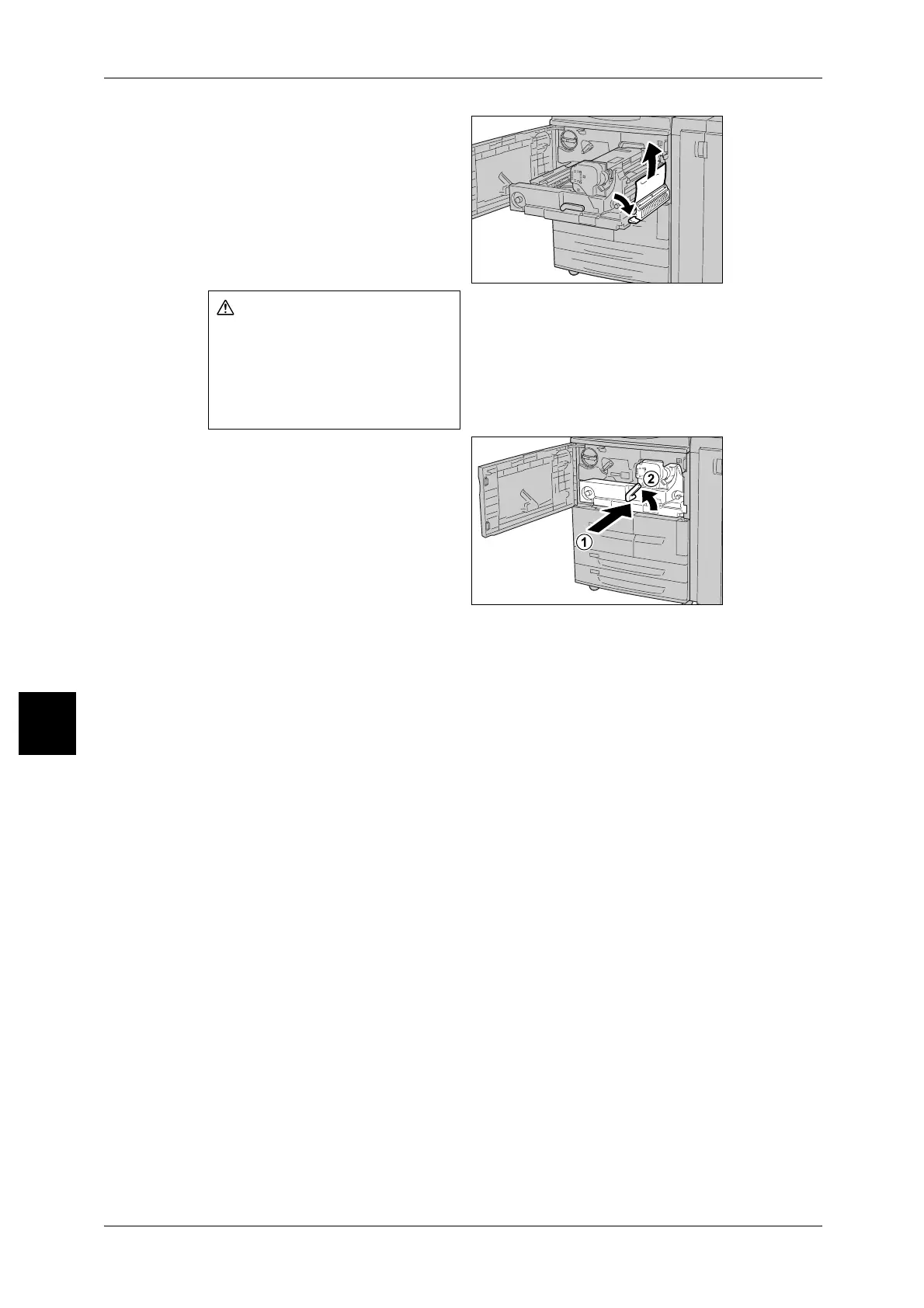
7 Shift the lever [3b] on the right of
the fuser unit as necessary and
then remove the jammed paper.
Important • If the jammed paper remains
inside and it is difficult to
remove, pull out the duplex
module after returning the
transfer module to the original
position. Then try again.
8 Insert the transfer module
completely and turn the green lever
[2] to the left.
Note • If the lever cannot be turned,
pull out the transfer module
halfway and push it in again.
9 Close the front cover.
Note • A message will be displayed and the machine will not operate if the front cover is even
slightly open.
Never touch a labeled area
(found on the fuser unit or
nearby) indicating "High
Temperature" and "Caution".
Contact can lead to burns.



 To Next Page
 Loading...






