120 Printing Basics
Loading Print Media in the Bypass Tray
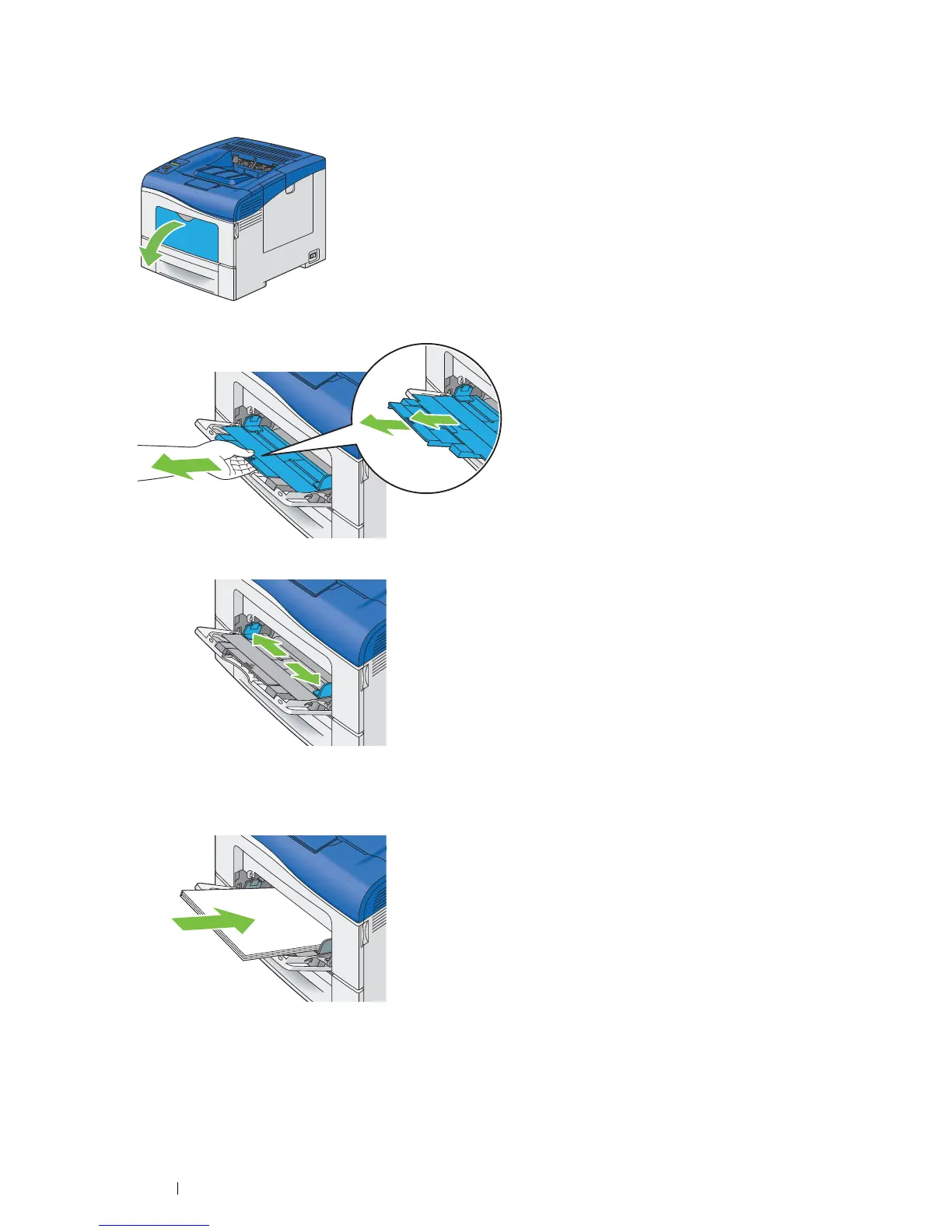
1 Gently pull open the bypass tray cover.
2 Extend the extension tray as necessary.
3 Slide the width guides to the edge of the tray. The width guides should be fully extended.
4 Insert all media face up and top edge first into the bypass tray.
NOTE:
• Do not force the print media into the bypass tray.



 To Next Page
 Loading...