Maintenance 243
Installing a Transfer Unit
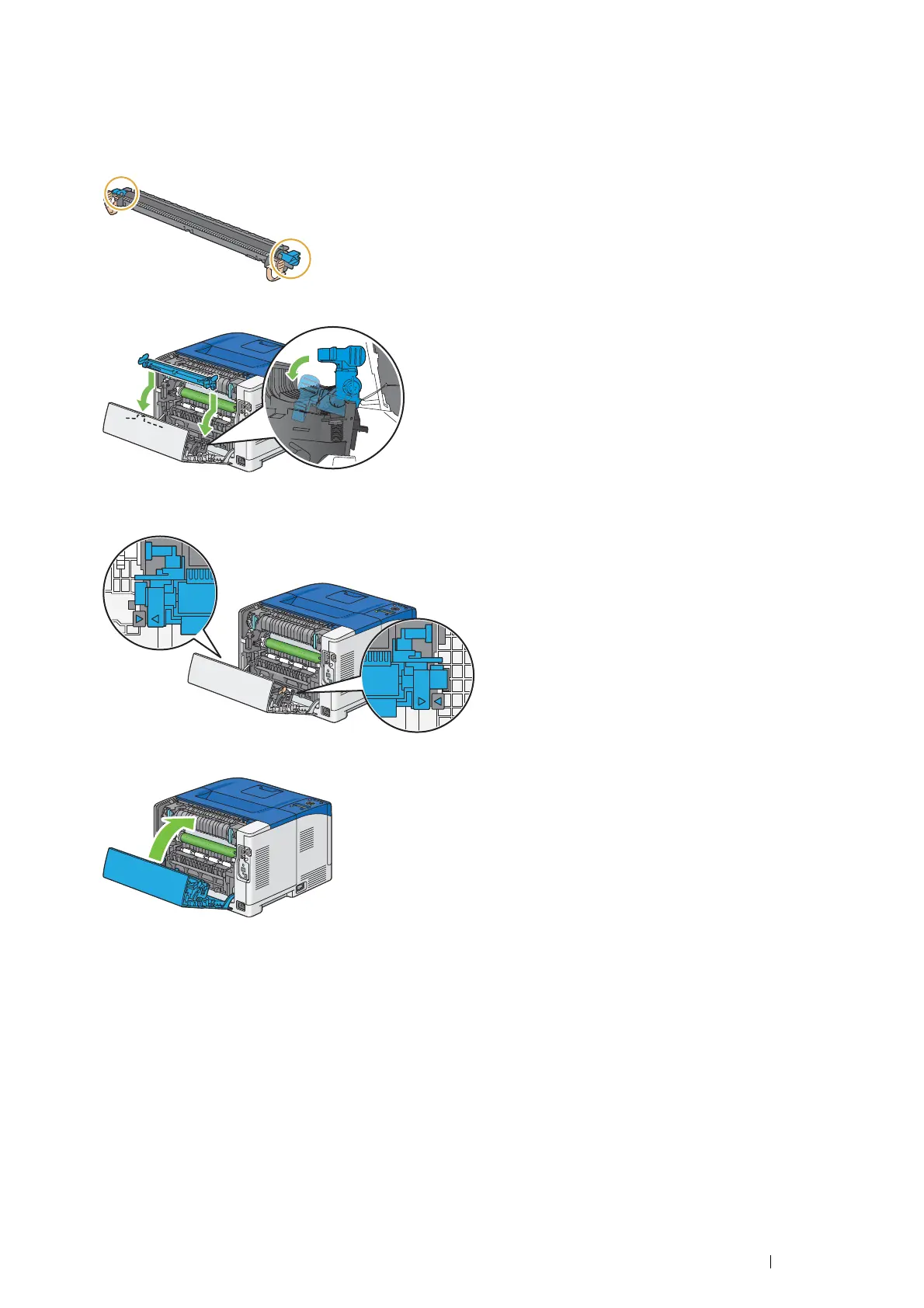
1 Unpack a new transfer unit.
2 Hold the transfer unit by its both ends.
3 Push the both ends of the transfer unit inward, put it on the duplexer, and then rotate the transfer unit forward.
4 Make sure that the arrow marks on the transfer unit and the printer face each other, and then press the two tabs
on transfer unit inward to lock.
5 Close the rear door.



 To Next Page
 Loading...