System expansions
Installing and removing a board
You can install ad ditional modules in order to increase the p erformance of your machine.
The number, position and arrangement of the board slots on the mainboard can be found in
the manual for the mainboard. Boards may already be installed on shipment.
Board,Board,
Board installing
► O pen the casing (see "Opening the casing", Page 30).
Board,
1
2
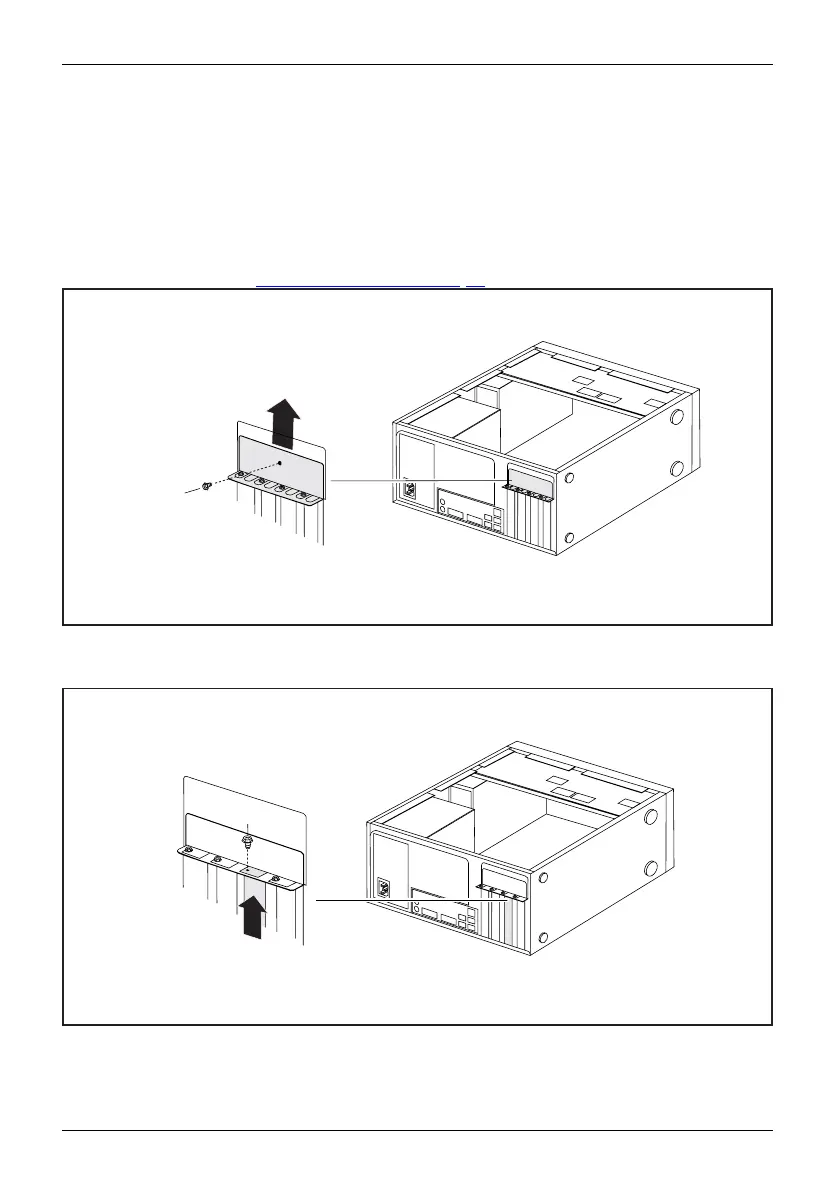
► R emove the screw (1) from the cover plate (1).
► Remove the cover plate from the casing in t he direction of the arrow (2).
1
2
► Remove the screw on the slot cover (1).
► Pull the slot cover out of the slot in the direction of the arrow (2).
38 Fujitsu




 To Next Page