System expansions
Installing and removing the accessible 5
1
/
4
inch drive
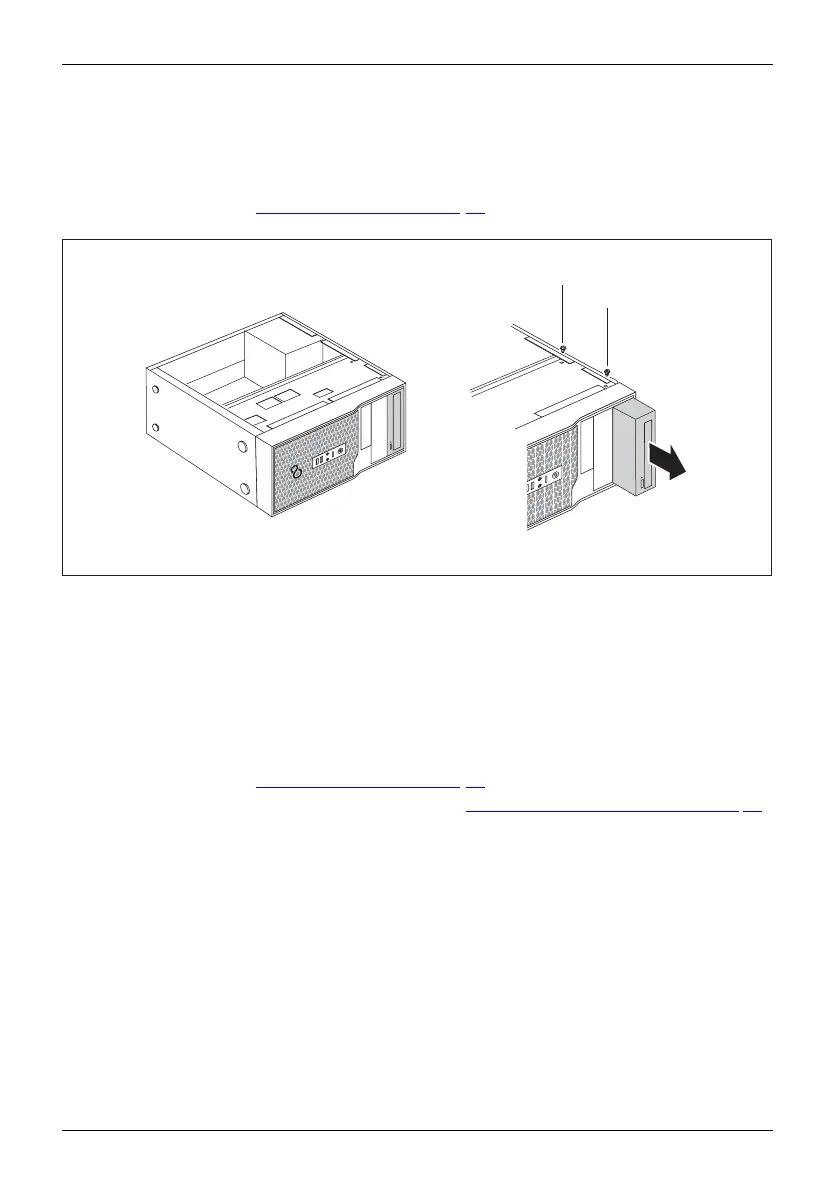
Removing an accessible drive
► O pen the casing (see "Opening the casing", Page 30).
Acces sible driv e,Drive,
► D isconnect the cables con ne
cted to the drive .
1
1
2
► Lo osen the scr
ews (1).
► Working from behind, slide the drive a short distance out of the bay in the direction of the arrow (2).
The drive now
protrudes slightly out of the casing.
► Pull the drive out of the casing (2).
► If necessar
y, make the required settings on th e remaining hard disk drive.
Installing an accessible drive
► O pen the casing (see "Opening the casing", Page 30).
Diskettedri ve,Diske ttedrive,
► If there is an accessible drive, please remove it (see "Removing an a ccessible drive", Page 32).
► Remove the front panel from the c asing.
► F rom the inside, press the plastic drive cover out of the front panel.
32 Fujitsu














 To Next Page