C156-E142-02EN 4 - 73
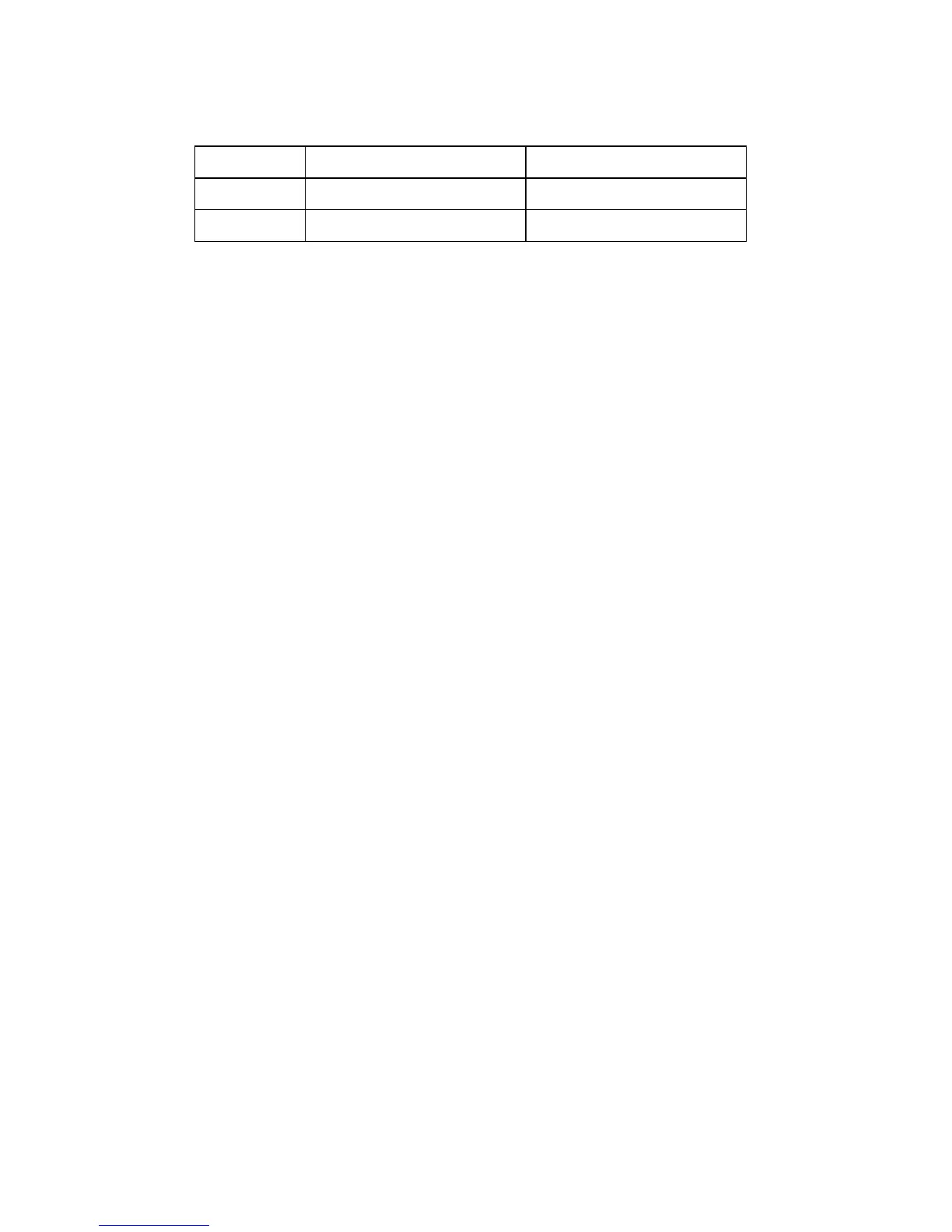
Table 4.112 Code-ID
Code-ID Microcode type Download file size
0h Main Code 78040h
1h-Fh Reserved -
Download procedure
Example 1 - To transfer the download file of X'78040' bytes in size in one operation
Step 1: Set X'78040' in Allocation Length, X'0' in Buffer Offset, 5 in Mode, and 0 in the TNFY bit and
issue the command to transfer download file of X'78040' bytes to the device. Make sure that the
command ends normally.
Example 2 - To transfer the download file of X'78040' bytes in size by unit 32 K Byte max
Step 1: Set X'40' in Allocation Length, X'0' in Buffer Offset, 5 in Mode, and 1 in the TNFY bit and issue
the command to transfer download file data from X'0' to X'3F' to the device.
Step 2: Set X'8000' in Allocation Length, X'40' in Buffer Offset, 5 in Mode, and 1 in the TNFY bit and
issue the command to transfer download file data from X'40' to X'803' to the device.
Step 3: Set X'8000' in Allocation Length, X'8040' in Buffer Offset, 5 in Mode, and 1 in the TNFY bit and
issue the command to transfer download file data from X'8040' to X'1003F' to the device.
Step 4: Similarly, issue the command by changing Buffer Offset to transfer all data in the download file.
Step 5: Set X'0' in Allocation Length, X'0' in Buffer Offset, 5 in Mode, and 0 in the TNFY bit and issue the
command. Make sure that the command ends normally.



 To Next Page