Operation
Operation
Switching the device on and off
1
2
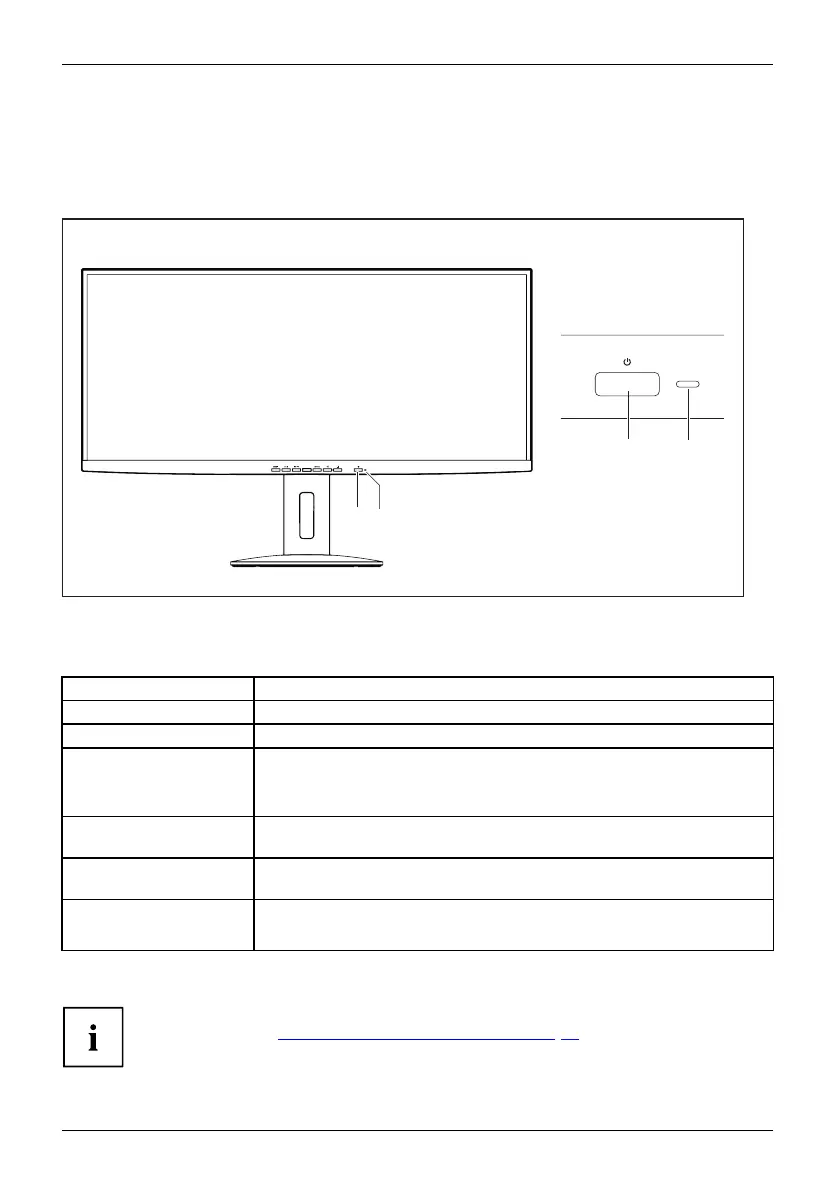
1 2
1 = O n/off switch 2 = Status LED
The colour of the status LED alters in the following way:
Status LE
D
Status
blue
Monitor and computer are switche d on (normal m ode).
green
Monitor and computer are switched on (ECO mode).
orange
Monitor is not receiving a video signal or is in power saving mode.
The monitor is in All-In-One mode and the connection to the computer
is interrupted.
Glow
swhite
The m
onitor is in A ll-In -One mode and the connection to the computer
is sw
itched on.
Fla
shes white
The monitor is in All-In-One mode an d the computer is in power-saving
mode.
does not light up
Monitor is switched off.
The monitor is in All-In-One mode and the computer is powered down.
► S
witchthedeviceonagainwiththeON/OFFswitch(1).
You will fin d more information about the behaviour of the O n/O ff switch in All-in-One
mode in chapter: "
Notes on All-in-One operation", Page 49
20 Fujitsu



 To Next Page
 Loading...







