Notes on All-in-One operation
Operating system
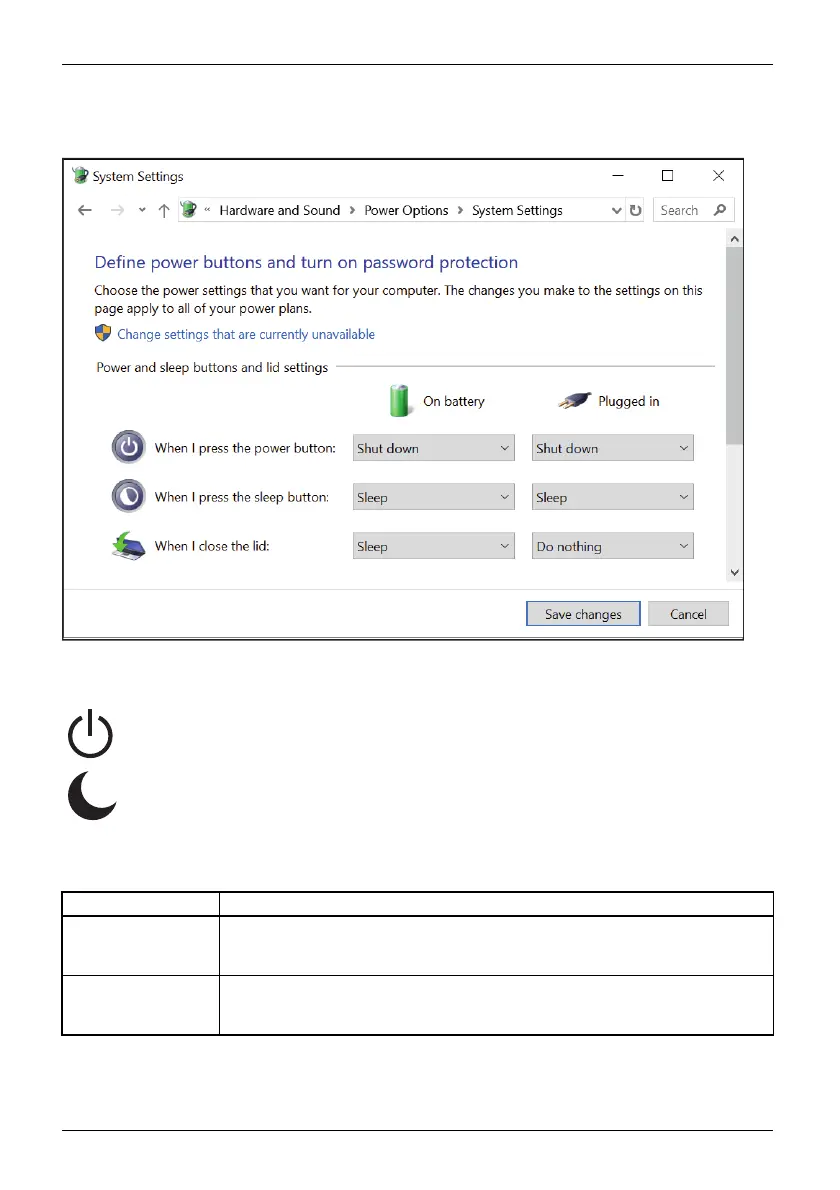
► In the settings of the Microsoft Windows operating system, open the Power options - System
settings header and set the desired response characteristics of the On/Off switch.
► For the Power button function, press and hold down the On/Off switch on
the monitor for more than 2 seconds.
► For the Sleep button function) press the On/Off switch on the monitor and
hold it down for less than 2 seconds.
If the system connected via the USB-C is in power-saving mode, the status LED can show
you whether the system is fully compatible with All-In-One mode:
Status LED Meaning
Flashing at
1-second intervals
Your system is completely compatible with the All-In-One mode. In any
status, you can turn the system on and off using the On/Off switch on the
monitor.
Flashing at
3-second intervals
Your system is only compatible with the All-In-One mo de to a limited extent.
It is not possible from every status to switch on the computer using the
On/Off switch.
52 Fujitsu



 To Next Page
 Loading...







