Driver installation
Monitor drivers
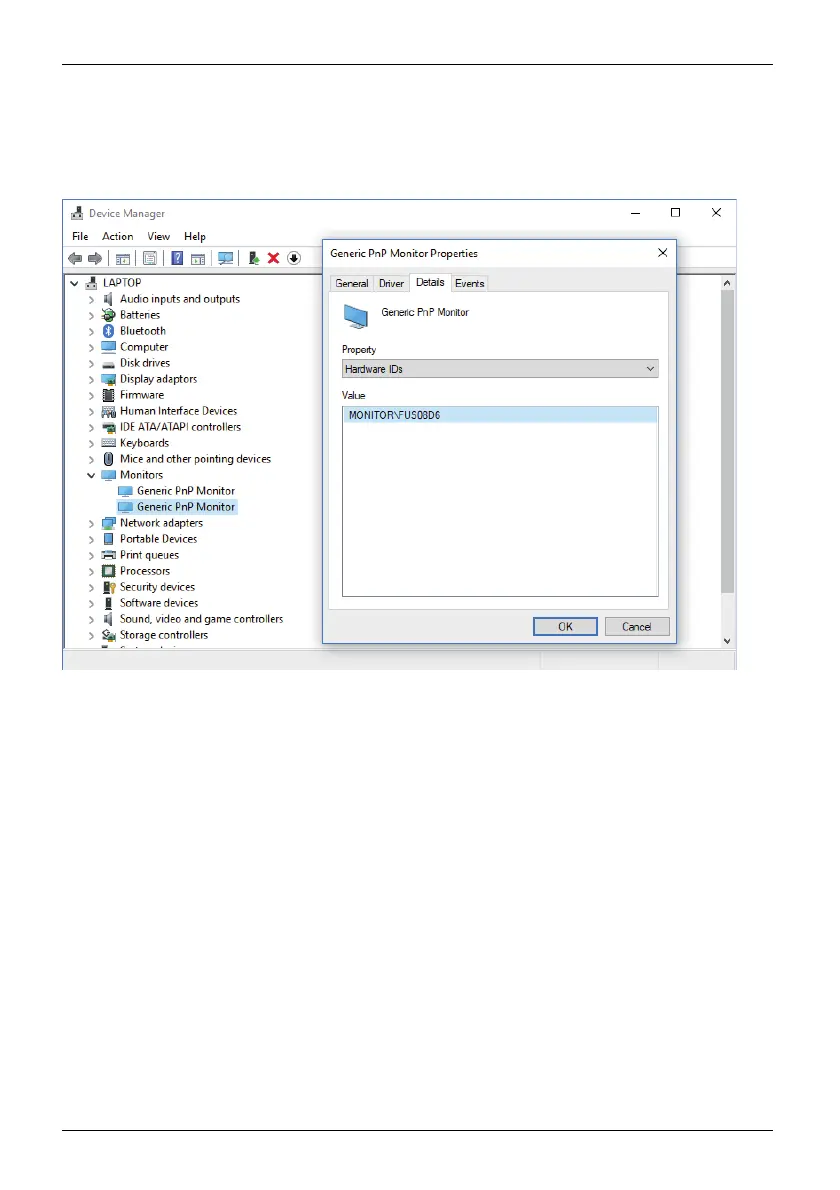
► O pen the Device Manager and select the M o n itors header.
► D ouble c lick on a listed Generic PnP Monitor to open the Properties window.
► If more than one Generic PnP Monitor device is displayed, check whether
the correct device is selected.
To do t h is , g o t o ta b Details, Property and set "Hardware Ids".
"Monitor\FUSxxxx" is displayed under Va l u e . Otherwise, select the
other Generic PnP Monitor device.
► Click on Update Driver in tab Driver.
► Click on Browse my computer for d river software.
► Click on Browse, navigate to the unpacked z ip file and confirm with OK.
► Click on Next and wait until the driver is installed.
42 Fujitsu



 To Next Page
 Loading...







