Notes on the program "DisplayView"
Notes on the program "DisplayV
iew"
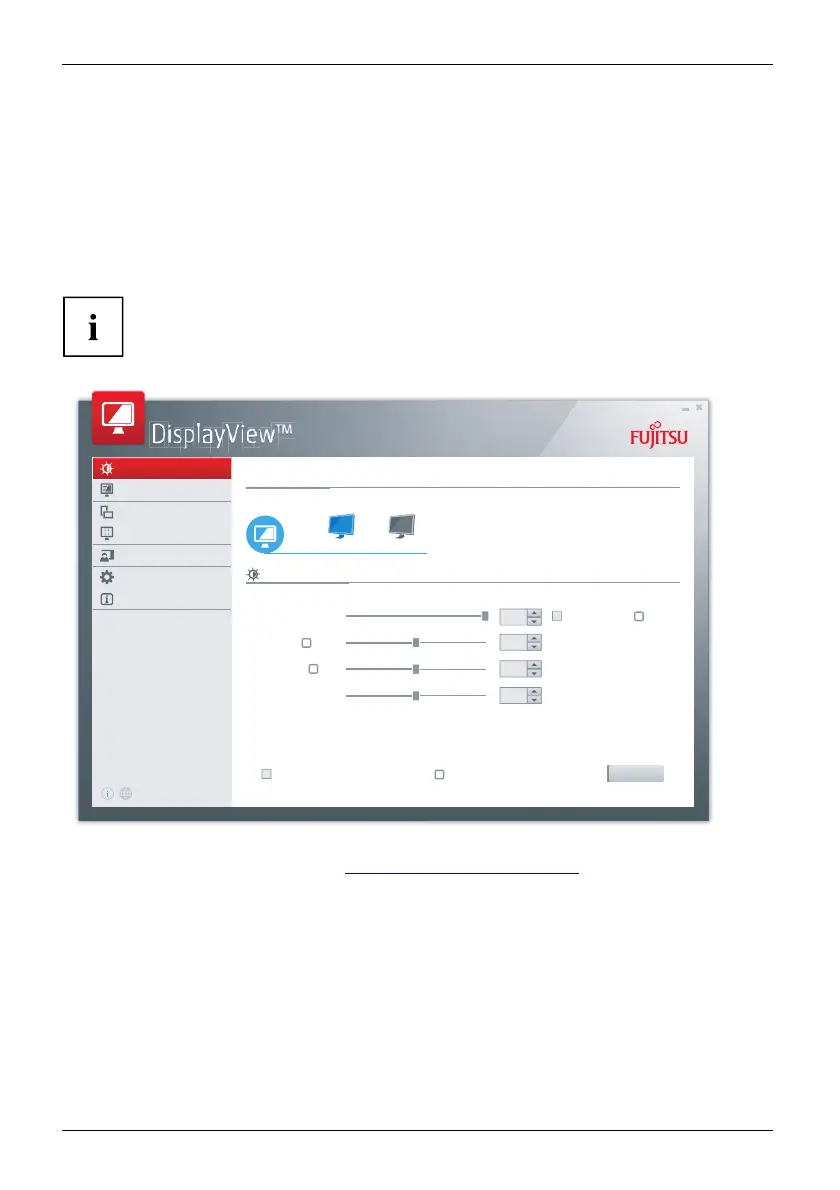
DisplayView is a program for M icrosoft Windows opera ting systems, which provides the user with
a simple u ser interface for adapting functions that are normally assigned to the OSD.
Changes to brightness, contrast, image position and other default monitor
settings can be made easily and intuitively.
The program also supports extended functions s uch as Auto-Rotation and D esktop Partitioning.
Your device may differ from the described scope of function in some areas.
Brightness/Contrast
Mode
Rotation
Desktop Partitioning
Presence Sensor
Profiles
Information
Connected displays
Brightness/Contrast
Display1 Display2
Brightness
Contrast
Black level
Sharpness
100
Auto brightness
Apply settings to all connected monitors
50
50
50
Undo
?
?
?
?
Brightness/Contrast
DisplayView Can be downloaded here: "www.fujitsu .com/fts/displayview"
Function overview:
• OSD management for screens equipped with DDC/CI
• OSD direct access for quick changes
• Settings for power saving mode and security settings for the presence s ensor
(only for models with presence sensor)
• Automatic rotation and partitioning of screen conten ts
• Supports analog ue and digital monitor ports
• Supports up to 4 monito rs
• Supports the M icrosoft Windows 10 operating system
44 Fujitsu



 To Next Page
 Loading...







