6.3 Cleaning the Inside of the Scanner
ScanSnap fi-5110EOX Operator's Guide 95
Daily Care
6
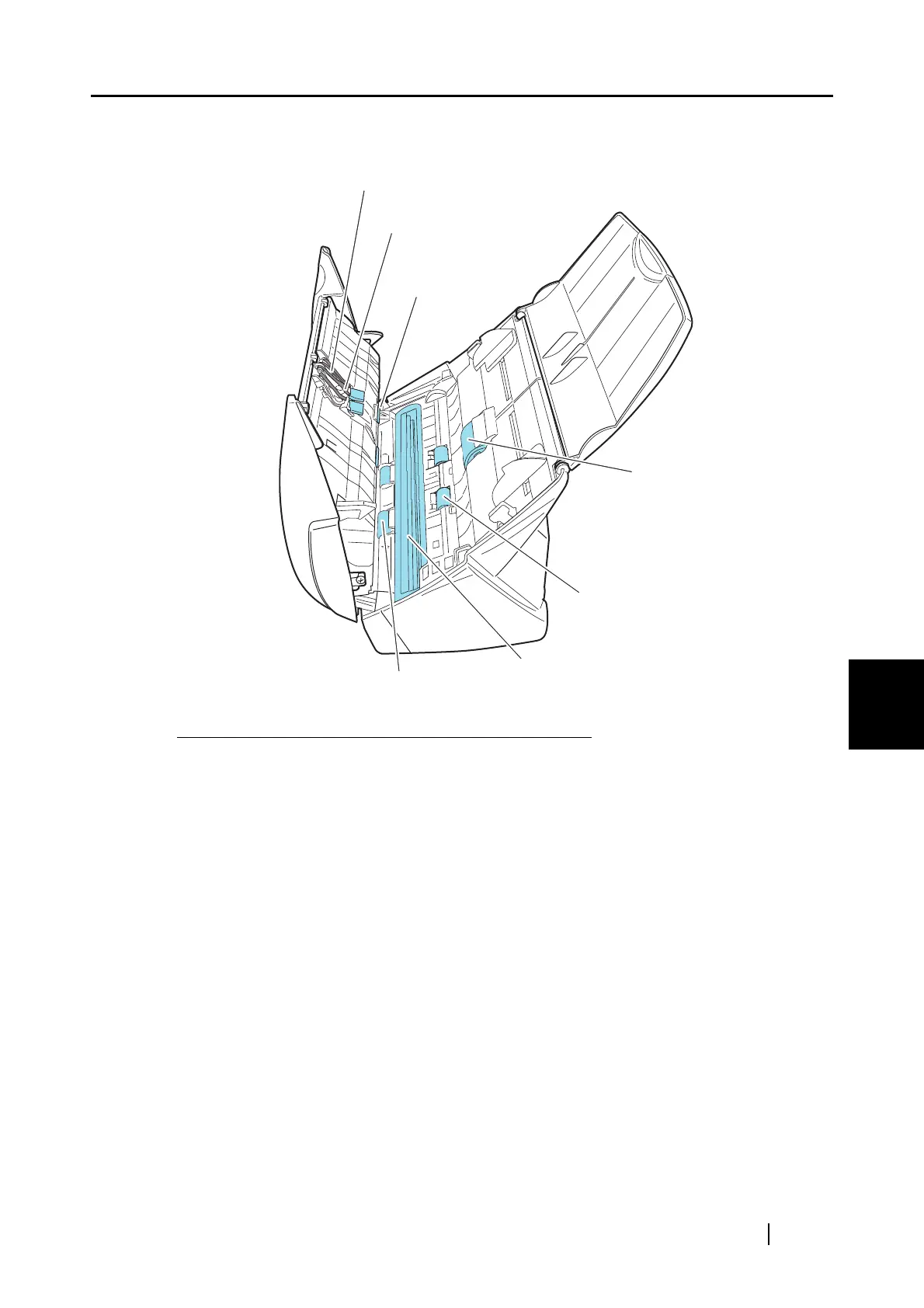
2. Clean the following locations with a cloth moistened with cleaner F1.
Turn off the scanner before cleaning the following locations.
• Pad ASSY (x 1)
Wipe the pad assy downwards. When cleaning the pad assy, be careful not to get your hand
or the cloth caught on the pick spring (metal part).
• ADF glass surfaces (x 2 located on the ADF cover and the opposite side)
Clean lightly.
• Pick roller (x 1)
Clean lightly taking care not to scratch the surface of the roller. Take particular care in
cleaning the Pick roller since black debris on the roller adversely affect the pickup perfor-
mance.
• Plastic rollers (x 4)
Clean them lightly while rotating the rollers with your finger. Take care not to roughen the
surface of the rollers. Take particular care in cleaning the plastic rollers since black debris
on the rollers adversely affect the pickup performance.
Pad ASSY
Plastic roller
Pick roller
Feed roller
Glass
Eject roller
Pick spring (metal part)
*Gray part



 To Next Page
 Loading...











