62
■ Rotating the page view of a PDF file
Even after scanning a document and saving it as a PDF file, you can change the page view orienta-
tion of this PDF file with Adobe Acrobat.
When the [Allow automatic image rotation] function (page 60) fails to correct the orientation of a
page view, or you want change the orientation of any other page, please follow the procedure
below.
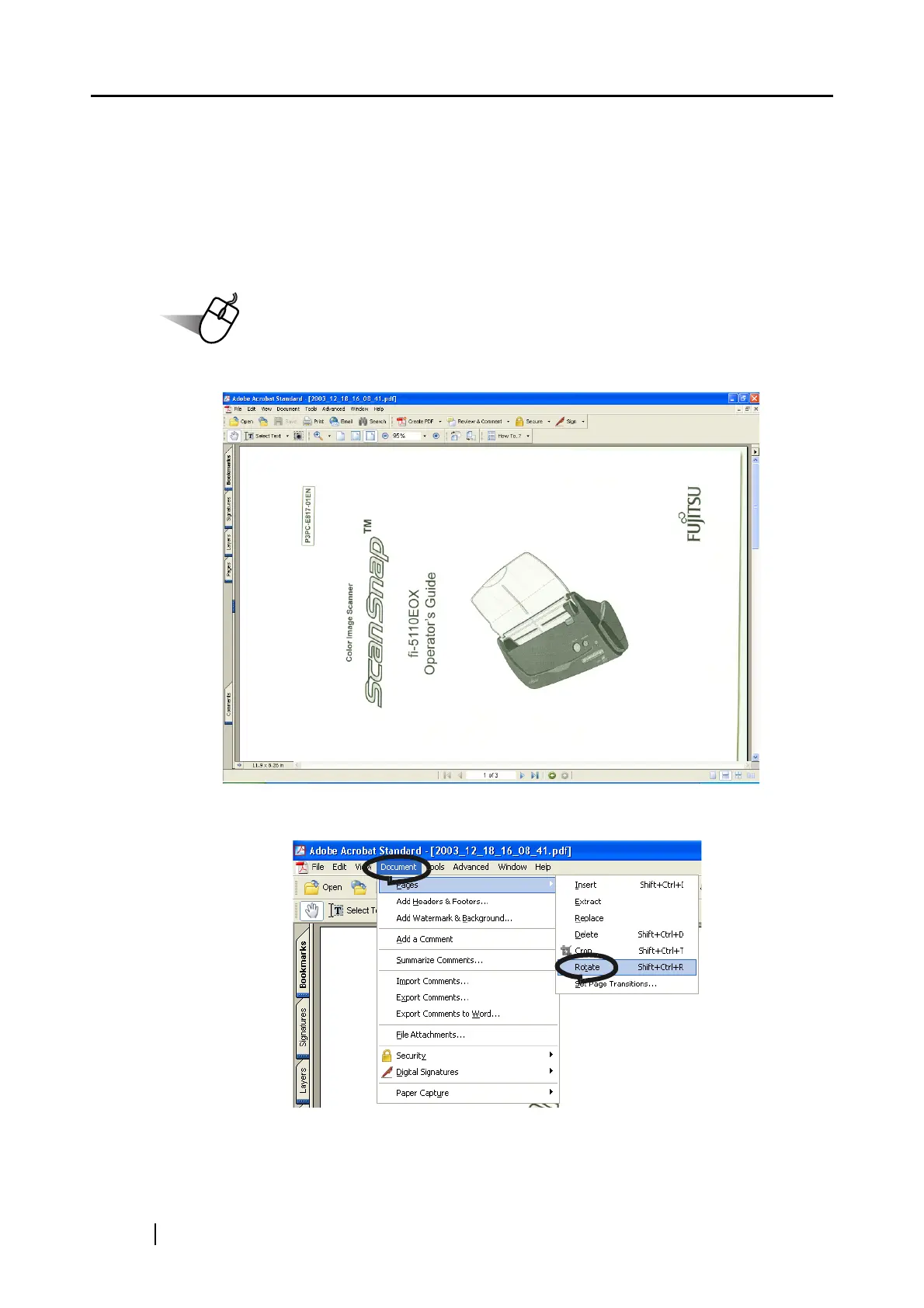
1. With Adobe Acrobat, open the PDF file targeted for this operation.
2. From the menu bar, select [Document] - [Pages] - [Rotate].



 To Next Page
 Loading...











