46
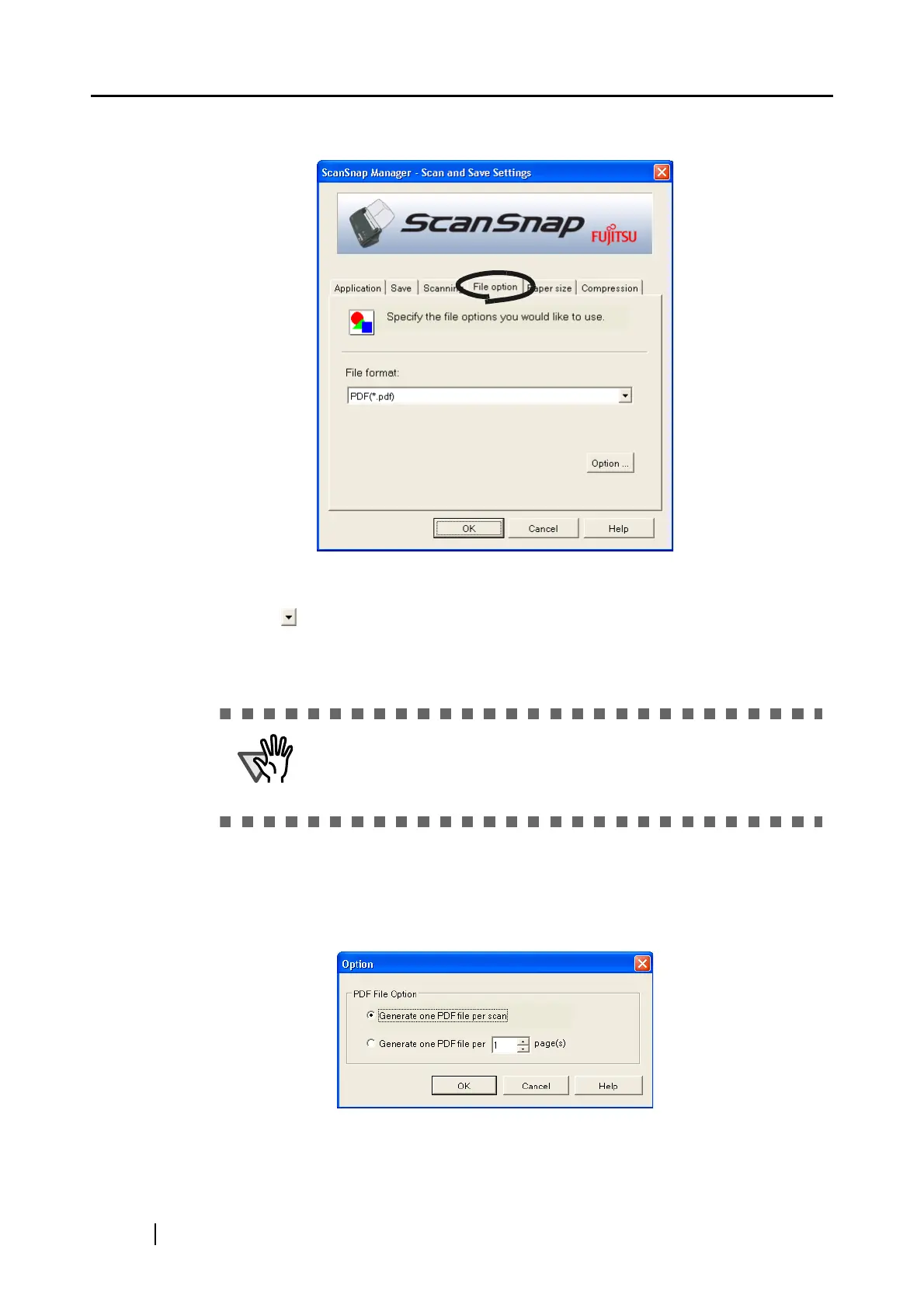
[File option] tab
■ Selecting the file option
Specify the type of file for the scanned image.
Click to select the file format. You can select one from the following file formats:
• PDF (*.pdf)
• JPEG (*.jpg)
■ [Option] button
This function is used for configuring detailed settings of PDF files. This button is
enabled when "PDF(*.pdf) is specified at [File format:]. Click [Option] button to dis-
play the following dialog box.
• "Generate one PDF file per scan"
Creates a merged PDF file of all the scanned images.
"JPEG" setting is not available when "Auto Color Detection" or "B&W" is
selected at [Color mode:] under [Scanning] tab.
File format is automatically changed to "PDF" whan you select "Auto
Color Detection" or "B&W" while "JPEG" setting is selected.



 To Next Page
 Loading...











