64
■ Saving scanned images as different files
ScanSnap product can save scanned images as different files at each set page.
For example, you can scan a batch of documents and create files for every single page.
To change the setting, follow the procedure below.
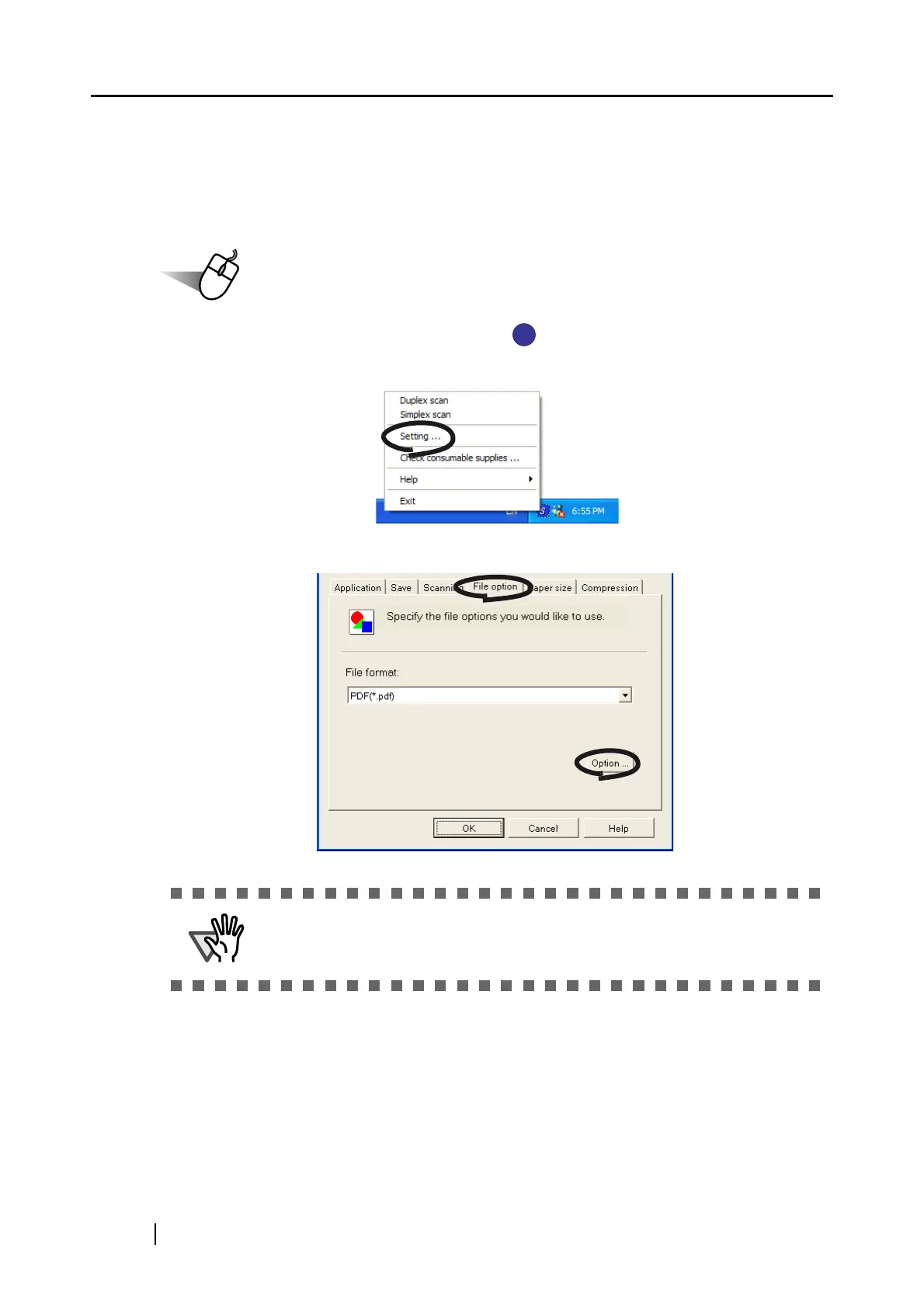
1. Right click the "ScanSnap Manager" icon on the task tray and select "Setting..."
from the menu.
2. Select the [File option] tab and click the [Option...] button.
Make sure that "PDF(*.pdf)" is selected at [File format:].



 To Next Page
 Loading...











