96
Turn on the scanner before cleaning the following locations, and clean the following rollers
while rotating them.
• Feed rollers (x 2)
Clean lightly taking care not to roughen the surface of the rollers. Take particular care in
cleaning the feed rollers since black debris on the rollers adversely affect the pickup perfor-
mance.
• Eject rollers (x 2)
Clean lightly taking care not to roughen the surface of the rollers.
Take particular care in cleaning the discharge rollers since black debris on the rollers
adversely affect the pickup performance.
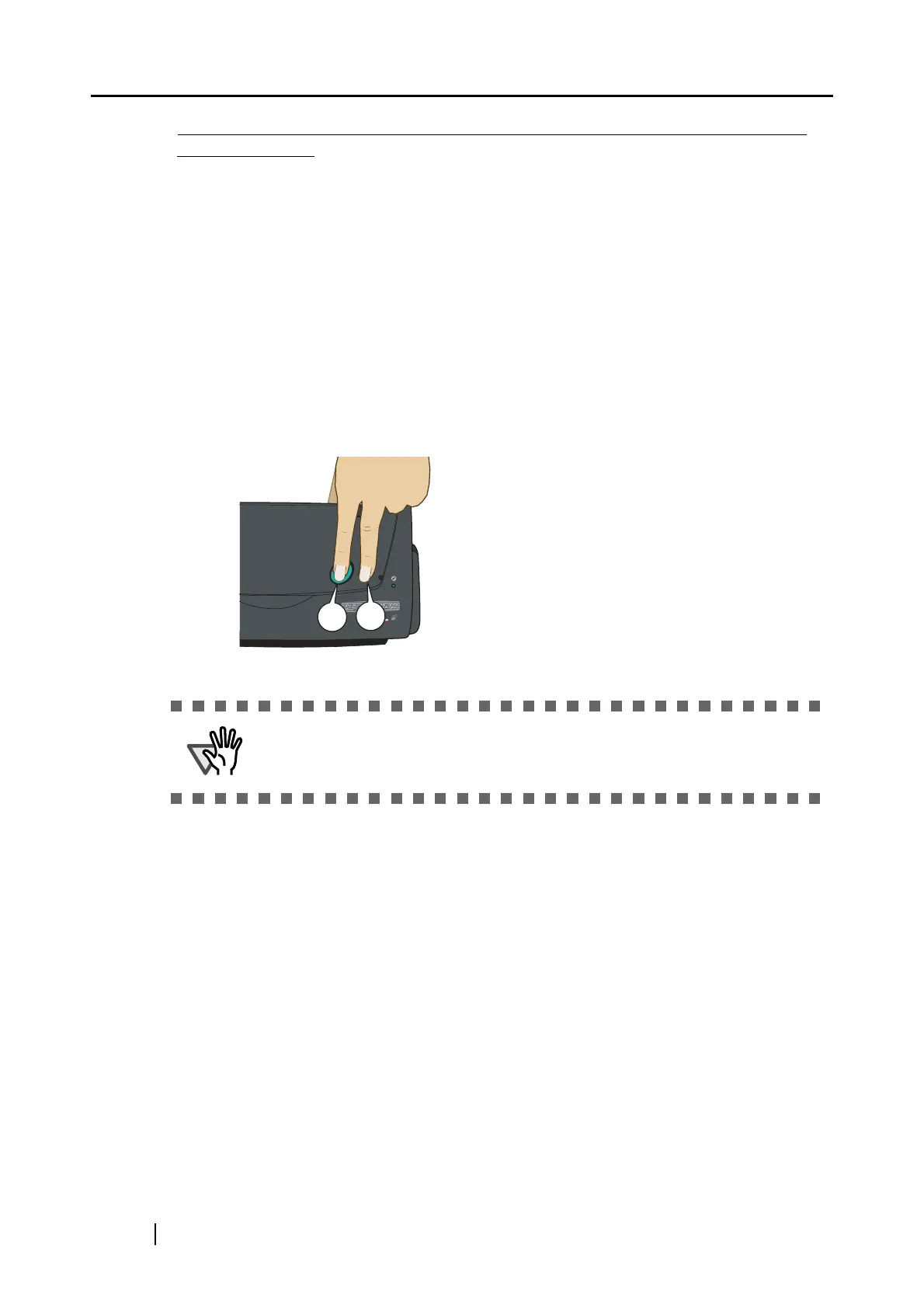
To rotate the feed rollers and the eject rollers, press the [POWER] button while holding
down the [SCAN] button.
As a guideline, six presses of the [POWER] button make the rollers to rotate one full turn.
.
Connect the AC adapter and AC cable only when cleaning the feed rollers and
eject rollers.
1. While holding down the [SCAN]
button....
2. ...press the [POWER] button.
⇒ The rollers rotate.



 To Next Page
 Loading...











