106
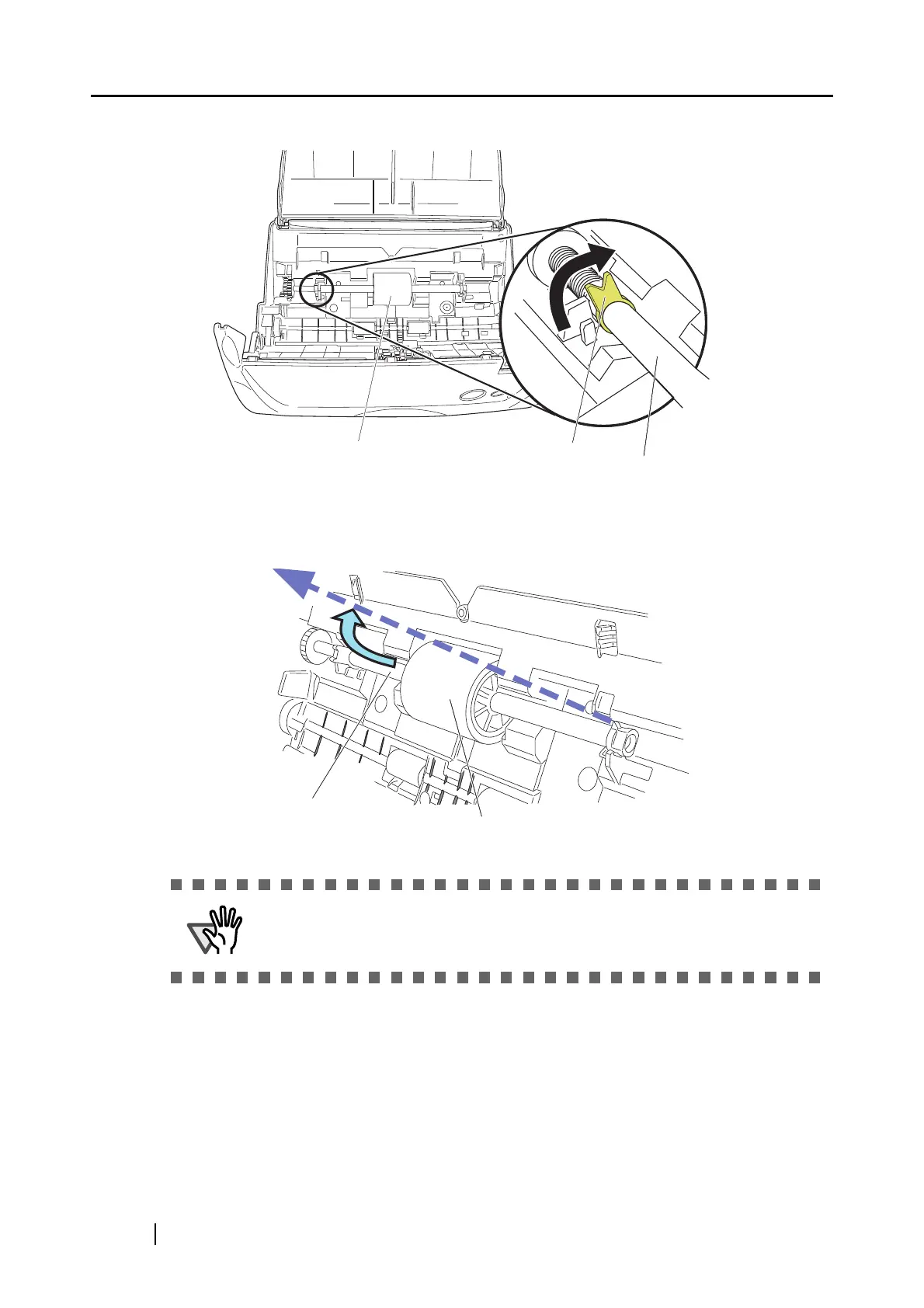
4. Rotate the pick roller bushing (left).
5. Remove the pick roller with its shaft.
Hold the left part of the shaft, and raise it to remove the shaft from the scanner while pulling
the shaft to the left.
If the around the pick roller is dirty by paper-powder, it may cause a scanning
error. Please remove the dirt using a dry cloth with dollop of Cleaner F1.
* Don't use water, mild detergent or air-spray.
Pick roller bushing
Pick roller
Pick roller shaft
Pick roller shaft
Pick roller



 To Next Page
 Loading...











