7.3 Replacing the Pick Roller
ScanSnap fi-5110EOX Operator's Guide 107
Replacing Consumables
7
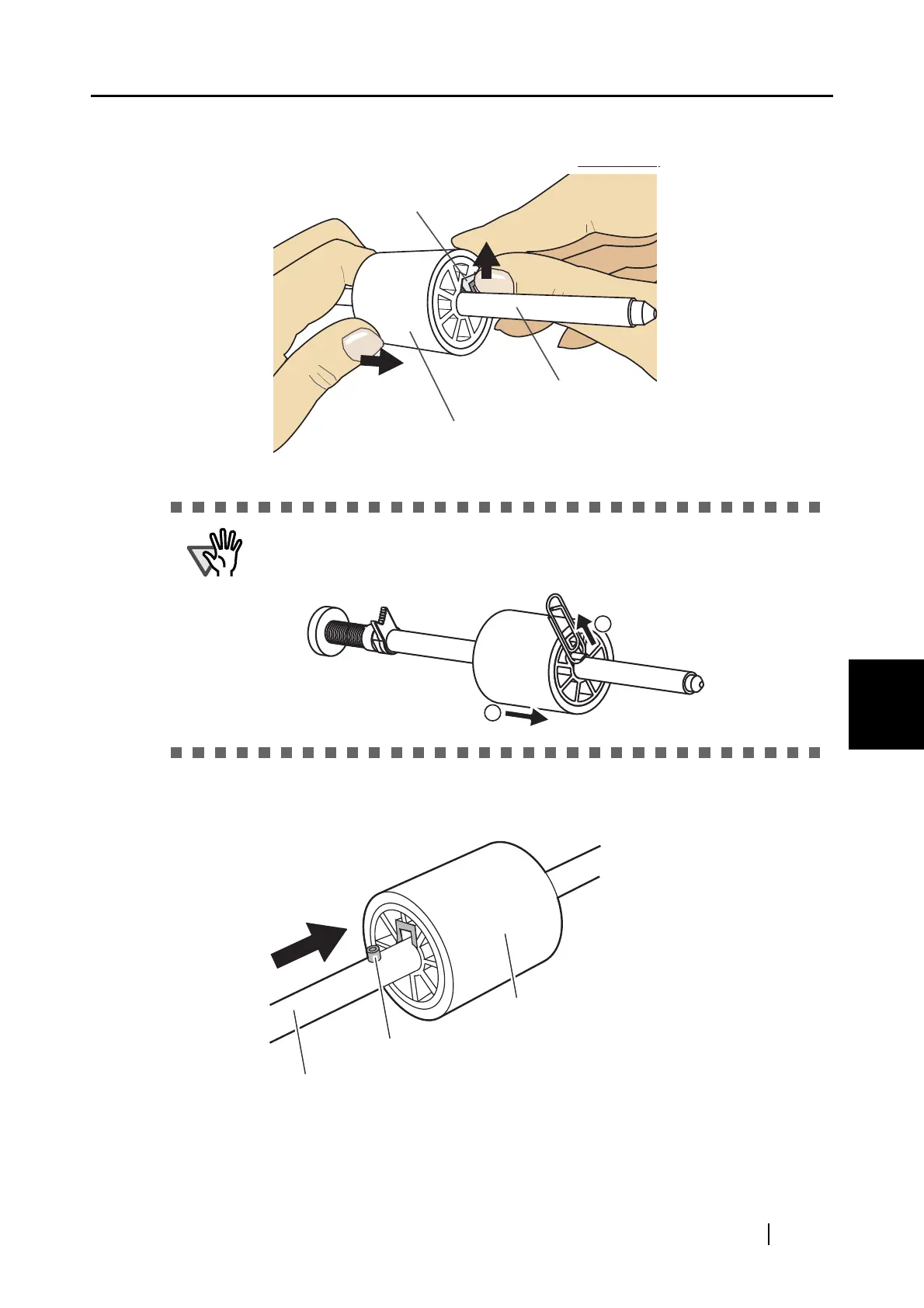
6. Remove the pick roller from it’s shaft.
Pull out the shaft from the pick roller while lifting up its tab.
7. Attach the new pick roller to the shaft.
Insert the new pick roller aligning the protrusion with the slot on the pick roller.
If you push up the pick roller tab using your fingernail, it may heart or get
chipped your fingernail. If you worry about that, you push up the pick roller tab
using a paper clip.
Shaft
Protrusion
Pick roller



 To Next Page
 Loading...











